
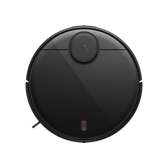
基礎資訊
- 產品 ID
- 69686
- 廠商
- 云米
- 品類
- 清潔電器
- 發佈時間
- 2020-11
- 狀態
- 已發佈
- 協議
- MiIO
- 型號
- viomi.vacuum.v10
- 需要網關
- 不需要
小愛語控
模式
- 扫地机器人设为静音模式
- 扫地机器人设为标准模式
- 扫地机器人设为强力模式
电量
- 查询扫地机器人剩余电量
扫地
- 扫地机器人开始扫地
停止扫地
- 扫地机器人停止扫地
充电
- 扫地机器人充电
智慧場景
觸發條件
執行動作
常見問題
1. What should I be aware of before using the vacuum-mop?
Please tidy up cables, and remove any objects that are easily knocked over, fragile, valuable, or potentially dangerous so as to avoid the vacuum-mop from getting entangled, stuck, or dragging around or knocking over objects and causing personal injuries or property damage. Please follow the vacuum-mop during its first cleanup to help it deal with minor issues that may exist. After the initial cleanup, the vacuum-mop can cleanup independently. In cleanup mode the dust compartment or the 2-in-1 dust compartment with water reservoir can be installed. It is recommended to vacuum before mopping when there is too much dust on the floor.
2. Is the laser distance sensor harmful for eyes, children or pets?
The red laser ray emitted by the laser distance sensor complies with IEC60825-1:2014 Class 1 laser safety standards and does not generate dangerous radiation. In addition, the emitted laser power consumption is extremely low, and does not harm children or pets.
3. Why does the vacuum-mop rescan the map every cleanup?
1. The vacuum-mop scans the map though the laser distance sensor (LDS). After a cleanup, the map can be saved and viewed in the cleaning history of the app. The zoned cleanup and Clean there functions will use the most recent map as a reference. However, if the vacuum-mop is relocated or restarted during a cleanup the map cannot be reused and will be deleted. 2. The scanned map will change according to furniture and objects placed on the floor (such as tables, chairs, shoes and toys).
4. Why does the vacuum-mop's cleaning ability decline after a while or leave dust behind?
Please check whether the dust compartment is full, if so empty it. At the same time, please check the filter and clean it if necessary, and also check whether there is anything wrapped around any of the brushes.
5. Why doesn't the vacuum-mop return to the dock to charge all the time?
1. Check whether there are too many obstacles around the charging dock, place the dock in a location without any obstacles around it. 2. When the vacuum-mop does not start cleaning from the charging dock, it is unable to locate the charging dock and will move around randomly in order to find the dock's signal. If the signal still cannot be found after a long time, it will fail to return to the dock to charge. You will need to manually return the vacuum-mop to the dock to charge.
6. Why doesn't the vacuum-mop resume cleaning after charging?
The vacuum-mop will not resume cleaning in do not disturb (DND) mode, or after manually being returned to the dock to charge.
7. Why is the vacuum-mop unable to return to the dock to charge after a partial cleanup or being repositioned?
The vacuum-mop will scan its surroundings during a partial cleanup or after being repositioned to generate a map. When the charging dock is too far away, the vacuum-mop will not be able to return to the dock to charge. Please manually return the vacuum-mop to the dock to charge.
8. Why won't the vacuum-mop carry out the scheduled cleanup?
1. Check whether the battery level is sufficient, the vacuum-mop needs to have a battery level of 20% or more to start a scheduled cleanup. 2. Check whether the scheduled cleanup is planned during the do not disturb (DND) period. Scheduled cleanups will not be carried out during the DND period.
9. What should I do if the vacuum-mop is unable to charge?
Check whether the cable of charging dock is properly plugged in at both ends, and whether the charging contacts are clean. If not, please wipe clean the charging contacts on both the dock and the vacuum-mop with a dry cloth.
10. Does the vacuum-mop consume electricity when it is left at the dock after being fully charged?
When the vacuum-mop is left at the dock, it will consume a small amount of electricity to allow the battery to maintain optimal performance in sleep mode.
11.How long could it work when the water duct is 200 ml?
1.When the water level is low, it could work for 110㎡; 2.When the water level is Medium, it could work for 72㎡; 3.When the water level is High, it could work for 60㎡.
12.What is the reason why the Mi sweeper is cleaning in place?
The device cannot recognize small objects. If it is lower than the radar altitude, the radar cannot recognize the object, which may cause the device to not work properly.
13.What is S-pattern mode and Y-pattern mode?
S-pattern mode: mopping and cleaning according to the "bow" sub-type, mopping the floor more energy-saving; Y-pattern mode: Simulate manual "Y" mopping, cleaning more delicately. The device will stop working when setting mop and vacuum & mop modes.Please return to the homepape to start cleaning.
14.How does the vacuum-mop function once it is in DND mode?
Once it enters DND mode, cleanups that are already in progress will be carried out. However, it will not carry out scheduled cleanups, or resume cleanups when the battery is low, and there will not be any voice notifications. Exception:The ongoing scheduled cleanup before the DND mode is enbaled won't stop.
15.Can detergent be added?
It is strictly forbidden to use the cleaner like detergent, disinfectant or solid cleaner, as these may cause clog, or corrosion to the 2-in-1 dust compartment with water tank. Please regular clean the filter of the filling opening.