
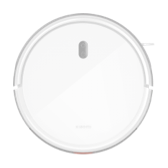
基础信息
- 产品 ID
- 12213
- 厂商
- 小米
- 品类
- 清洁电器
- 发布时间
- 2023-02
- 状态
- 已发布
- 协议
- Wi‑Fi
- 型号
- xiaomi.vacuum.b112
- 需要网关
- 不需要
小爱语控
电量
- 查询扫地机器人剩余电量
扫地
- 扫地机器人开始扫地
停止扫地
- 扫地机器人停止扫地
充电
- 扫地机器人充电
智能场景
触发条件
执行动作
常见问题
1.What should I do if the robot vacuum cannot connect to the network?
(1) Ensure that the robot vacuum is turned on and has sufficient power, or connect the robot vacuum to the network while it is charging. (2) Simultaneously press and hold the power and dock buttons for 7 seconds. Once you hear "Resetting the Wi-Fi connection and entering network configuration mode.", the indicator will blink and the connection can be completed by following the instructions in the app. (3) Ensure that the phone is successfully connected to a Wi-Fi network that meets the requirements of this product: a. Connect directly to the router if it is set to dual-band, which means it is using the same Wi-Fi name for both the 2.4 GHz and 5 GHz bands. b. Connect to the 2.4 GHz Wi-Fi network if the router broadcast two Wi-Fi signals with different names. (4) If the router is configured to use MAC address filtering, please disable this setting before connecting to the network.
2.What should I do if the robot vacuum doesn't charge?
(1) Check whether the electrical outlet is properly powered and check whether the charging dock's power cord is properly connected. (2) Remove the impact protection strips from the robot vacuum's collision sensor before charging. (3) Check whether the charging contacts on the robot vacuum and the charging dock are dirty, and if so, wipe them clean with a dry cloth. (4) Place the charging dock against a wall on a flat surface, and keep the surrounding area free from obstacles within 2 ft on both sides and 5 ft in front of the charging dock.
3.What should I do if the robot vacuum cannot find the charging dock when returning to the dock to charge?
(1) Ensure that the charging dock is placed properly: a. Place the charging dock against a wall in an open position, and leave sufficient space on both sides and in front of it. b. Ensure that there are no highly reflective objects, such as mirrors, windows, and shiny metals, on the opposite side of the charging dock. (2) Place the robot vacuum about 3 feet in front of the charging dock; briefly press the dock button and check whether it can return to the dock to charge successfully. (3) If the robot vacuum still cannot return to the dock to charge, please contact customer service.
4.How do I achieve better results with the mopping function?
It is recommended to moisten the mop first and wring it out before use, to mop the floor more evenly and efficiently.
5. How does the robot vacuum avoid obstacles?
The robot vacuum uses the collision sensor and the infrared distance measurement to avoid obstacles. For the obstacles of high brightness and of black color, the robot vacuum cannot avoid them via the infrared distance measurement. The robot vacuum can only avoid these obstacles after colliding with them.