
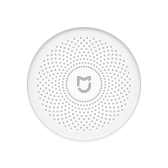
Mi Control Hub
lumi.gateway.lmuk01
米家海外版网关的英国版本,支持警戒,小夜灯和子设备管理功能,是智能家居系统的控制中心。
基础信息
- 产品 ID
- 65870
- 厂商
- Aqara
- 品类
- 路由网关
- 发布时间
- 2020-11
- 状态
- 已发布
- 协议
- MiIO
- 型号
- lumi.gateway.lmuk01
- 需要网关
- 不需要
小爱语控
开关
- 打开网关的灯
- 关闭网关的灯
智能场景
执行动作
常见问题
What is the main function of the the Mi Control Hub?
The gateway has both Wi-Fi and Zigbee modules. It is the control center of Zigbee child devices. It can add, delete and manage Zigbee child devices. It can also serve as a control center to implement controls and communication between the Zigbee devices and other Wi-Fi devices in the Xiaomi Home app. In addition, the hub also has color lights, and a small speaker. Your phone, the Mi Motion Sensoror or the Mi Wireless Mini Switch can interact with the hub to open the light ring, ring a bell etc,.
What is automation? How to set automation?
"Automation means that when an event occurs, the designated device will perform the specified result. (For example, when the Mi Window and Mi Door Sensor senses that the door/window is open, the hub light turns on.) The user can customize the control he wants to achieve through automation. To use this feature, users can click the “+” sign at the bottom of the Auto page (Hub> Automation page) to configure the automation controls as you want by following the instructions."
Where is the best place to install the Mi Control Hub?
The Mi Control Hub can be installed anywhere in the home that has a power source. Bearing in mind that the sensors will be used with the Mi Control Hub, it is best to install the Mi Control Hub in a central location between 2 to 6 meters from the wireless router.
How can I confirm that the current location is suitable for installing the child device?
After a sub-device is successfully connected, tap the devices reset button before installing it. The voice prompt, "connection normal" indicates that the current location is suitable. If you do not hear the voice prompt, move it closer to the Mi Control Hub and try again.
How can the Mi Control Hub be reset?
Long press the button on the Mi Control Hub for 5 seconds. The flashing yellow light indicates that reset is successful. You can also delete devices in the app.
Can the Mi Control Hub be connected to a mobile phone?
It is not possible to connect directly. Ensure that the phone is connected to Wi-Fi, then connect to the Mi Control Hub using the App.
In what kind of environment should the Mi Control Hub be used?
Suitable for indoor use. Working temperature is between 0 – 40 °C
What is the maximum distance between the sub-device and the Control Hub? Can it go through the wall?
Since the indoor wireless signals environment verifies, the communication distance between the child device and the hub changes. Normally, the distance is about 20 meters when there are less than two walls inbetween.
Does the Mi Control Hub need to be reconnected if the power goes off or Wi-Fi is disconnected?
No. If the Mi Control Hub was connected to Wi-Fi, there is no need to reconnect it if it becomes disconnected or the power goes off. When the network returns it will reconnect automatically.
How can the Mi Control Hub be disconnected from Wi-Fi?
1. Press and hold the power button for 5 seconds. 2. The light of Mi Control Hub flashes yellow to indicate that it is no longer paired with the wireless router.
Will the Mi Control Hub and sensors still respond if the network is interrupted?
The sensors can still be triggered and will function according to the way they were preset in the App. If the Mi Control Hub was already in guard mode when the network disconnected, it will sound an alert ringtone tone after a sensor is triggered. If the network is down, the App cannot be used. Basic local functions will continue to work.
Why do the Mi Control Hub and sensors sometimes stop working even though there are no connection problems?
If the Mi Control Hub and the sensors are too far away from each other, or if there are too many barriers in between, the communication will be affected. Please move the sensor closer to the Mi Control Hub.
What is Guard? How do I use this function?
The concept of guard is as follows: Guard is a function that alerts you in unusual circumstances. When the hub is in guard mode, if the “Alert trigger device” you preselected is triggered, the hub will sound an alarm and flash red, and your mobile phone will also receive a message push. If you want to use this feature, first, you need to have a hub and at least one trigger device (such as Motion Sensor) Second, you need to go to the Hub>Guard settings>Alert trigger device page and tick the device(s) you want to use as the alert trigger when the guard function is enabled. Finally, when you need to use the guard feature, you need to enable guard function. There are three ways to enable guard function: The first is to click the "Guarding disabled. Tap to enable it" button on your hub page; the second is to press twice the local button on the hub; the third is through automation configuration. Precautions: If you need to disable the guard so that the hub no longer alarms, you can also use the app, double-click the hub's local button or automation. When the guard function is disabled, hub does not alarm even though the “Alert trigger device” is triggered.
Why does Mi Control Hub cannot connect to Wi-Fi?
1. Place the phone and the Mi Control Hub nearby each other when connecting. 2. Turn on the phone's Wi-Fi. 3. Connect to Wi-Fi that is 2.4GHz.
Why does Mi Control Hub cannot connect to the device?
Before adding a child device, bring the child device close to the Mi Control Hub, then click the plus sign (add child device) in the Device page (Hub>Device), ,and after the Mi Control Hub voice prompts "Ready to connect to child device", and follow the page prompts to operate the child device.
Why does the child device keep going offline?
1. The Mi Control Hub is too far away. Try moving closer to the Mi Control Hub. 2. The battery is empty and needs to be replaced.
In case the Mi Control Hub becomes unpluged, must it be set up again?
The Mi Control Hub will have saved all settings in the event of a power outage. There is no need to reset it if no changes are required.
How do the Mi Control Hub and child devices work with the App?
1. The sensor uses Zigbee wireless signal to communicate with the Mi Control Hub. 2. The Mi Control Hub responds according to the preconfigured automation the users set, and send commands to relating devices to execute controls (eg. Turn on lights). 3. Meanwhile, hub transmits signals to cloud. 4. Cloud sends updates to your phone application.
What is the button of Mi Control Hub for?
Press once: to turn the night light on/off; to stop the hub’s alerting Press twice: turn on/ off the guard mode Keep the button pressed for 5 seconds: reset hub
How do I share devices with other family members?
Select " " in the top right corner of the Mi Control Hub page to start sharing with a designated account or family member.
How many child devices can be conneted to a Mi Control Hub?
32.
How can I dentify the same type of child devices connected to the same Control Hub?
You can check the device info log to differenciate devices. It is highly recommended: Rename the device name in the app according to the installation location or usage while you are adding the device.