
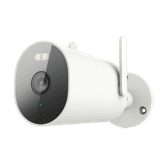
#mxiang.camera.mod13
Xiaomi Outdoor Camera AW300
urn:miot-spec-v2:device:camera:0000A01C:mxiang-mod13:2
Language
Service tree
Camera Control#2 · camera-control5 properties
Camera Control
#2 · camera-control
Properties
Image Rollover
#2 · image-rollover
- Format
- uint16
- Access
- R / W / N
- Value
- 0 ~ 360, step 180 arcdegrees
Night Shot
#3 · night-shot
- Format
- uint8
- Access
- R / W / N
- Value
- 0Black And White Night Vision1Smart Night Vision2Smart Full Color Night Vision
Time Watermark
#4 · time-watermark
- Format
- bool
- Access
- R / W / N
- Value
- —
Wide Dynamic Range Mode
#5 · wdr-mode
- Format
- bool
- Access
- R / W / N
- Value
- —
Recording Mode
#7 · recording-mode
- Format
- uint8
- Access
- R / W / N
- Value
- 0All Record1Motion Record2No Record
Memory Card Management#3 · memory-card-management4 properties2 actions
Memory Card Management
#3 · memory-card-management
Properties
Status
#1 · status
- Format
- uint8
- Access
- R / N
- Value
- 0Good1No Memory Card2Not Enough Storage3Error4Formatting5Memory Card Ejected
Storage Total Space
#2 · storage-total-space
- Format
- int64
- Access
- R / N
- Value
- 0 ~ 99999999999999, step 1
Storage Free Space
#3 · storage-free-space
- Format
- int64
- Access
- R / N
- Value
- 0 ~ 99999999999999, step 1
Storage Used Space
#4 · storage-used-space
- Format
- int64
- Access
- R / N
- Value
- 0 ~ 99999999999999, step 1
Actions
Format
#1 · format
Pop Up
#2 · pop-up
Motion Detection#5 · motion-detection5 properties
Motion Detection
#5 · motion-detection
Properties
Motion Detection
#1 · motion-detection
- Format
- bool
- Access
- R / W / N
- Value
- —
Alarm Interval
#2 · alarm-interval
- Format
- int32
- Access
- R / W / N
- Value
- 1 ~ 60, step 1 minutes
Detection Sensitivity
#3 · detection-sensitivity
- Format
- uint8
- Access
- R / W / N
- Value
- 0Low1Middle2High
Motion Detection Start Time
#4 · motion-detection-start-time
- Format
- string
- Access
- R / W / N
- Value
- —
Motion Detection End Time
#5 · motion-detection-end-time
- Format
- string
- Access
- R / W / N
- Value
- —
P2P Stream#6 · p2p-stream2 actions
P2P Stream
#6 · p2p-stream
Actions
Start P2P Stream
#1 · start-p2p-stream
Stop Camera Stream
#2 · stop-stream
Camera Stream Management For Google Home#7 · camera-stream-for-google-home9 properties3 actions
Camera Stream Management For Google Home
#7 · camera-stream-for-google-home
Properties
Video Codec Type
#1 · video-codec-type
- Format
- uint8
- Access
- Value
- 1H2642MPEG3MPEG24MP4
Video Attribute
#2 · video-attribute
- Format
- uint8
- Access
- Value
- 119202128031024
Audio Codec Type
#3 · audio-codec-type
- Format
- uint8
- Access
- Value
- 1PCMU2PCMA3OPUS4MSBC5AMR
Audio Attribute
#4 · audio-attribute
- Format
- uint8
- Access
- Value
- 0Default14410028000
Stream URL
#5 · stream-address
- Format
- string
- Access
- Value
- —
Stream Receiver Id
#6 · stream-receiver-id
- Format
- string
- Access
- Value
- —
Stream Auth Token
#7 · stream-auth-token
- Format
- string
- Access
- Value
- —
Expiration Time
#8 · expiration-time
- Format
- uint32
- Access
- Value
- 0 ~ 3600, step 3600 seconds
Stream Status
#9 · stream-status
- Format
- uint8
- Access
- R / N
- Value
- 1Available2In Use3Unavailable
Actions
Start Camera Stream For Google
#1 · start-hls-stream
Input
#2Video Attributeuint8
Output
#5Stream URLstring#6Stream Receiver Idstring#7Stream Auth Tokenstring#8Expiration Timeuint32
Stop Camera Stream
#2 · stop-stream
Get Stream Configuration Of Camera
#3 · get-stream-configuration
Output
#9Stream Statusuint8#1Video Codec Typeuint8#2Video Attributeuint8#3Audio Codec Typeuint8#4Audio Attributeuint8
Camera Stream Management for Amazon Alexa#8 · camera-stream-for-amazon-alexa9 properties3 actions
Camera Stream Management for Amazon Alexa
#8 · camera-stream-for-amazon-alexa
Properties
Video Codec Type
#1 · video-codec-type
- Format
- uint8
- Access
- Value
- 1H2642MPEG3MPEG24MP4
Video Attribute
#2 · video-attribute
- Format
- uint8
- Access
- Value
- 119202128031024
Audio Codec Type
#3 · audio-codec-type
- Format
- uint8
- Access
- Value
- 1PCMU2PCMA3OPUS4MSBC5AMR
Audio Attribute
#4 · audio-attribute
- Format
- uint8
- Access
- Value
- 0Default14410028000
Authorization Type
#5 · authorization-type
- Format
- uint8
- Access
- Value
- 0None1Basic2Digest
Stream URL
#6 · stream-address
- Format
- string
- Access
- Value
- —
Image Snapshot URL
#7 · image-snapshot
- Format
- string
- Access
- Value
- —
Expiration Time
#8 · expiration-time
- Format
- uint32
- Access
- Value
- 0 ~ 3600, step 3600 seconds
Stream Status
#9 · stream-status
- Format
- uint8
- Access
- R / N
- Value
- 1Available2In Use3Unavailable
Actions
Start Camera Stream for Alexa
#1 · start-rtsp-stream
Input
#2Video Attributeuint8
Output
#6Stream URLstring#7Image Snapshot URLstring#8Expiration Timeuint32
Stop Camera Stream
#2 · stop-stream
Get Stream Configuration Of Camera
#3 · get-stream-configuration
Output
#9Stream Statusuint8#1Video Codec Typeuint8#2Video Attributeuint8#3Audio Codec Typeuint8#4Audio Attributeuint8
Camera Control Molecular Customization#4 · camera-control-sub29 properties2 actions3 events
Camera Control Molecular Customization
#4 · camera-control-sub
Properties
Camera Status Indicator Switch
#1 · status-light
- Format
- bool
- Access
- R / N / W
- Value
- —
Lens Distortion Correction Switch
#2 · distortion-correct
- Format
- bool
- Access
- R / N / W
- Value
- —
Intelligent Night Vision Light Brightness
#3 · brightness-light
- Format
- uint8
- Access
- R / N / W
- Value
- 1 ~ 100, step 1 percentage
Sound And Light Alarm Switch
#4 · audible-alarm-switch
- Format
- bool
- Access
- R / N / W
- Value
- —
Sound And Light Alarm Sound
#5 · audible-alarm-sound
- Format
- string
- Access
- R / N / W
- Value
- —
Sound And Light Alarm Prompt Tone Times
#6 · audible-sound-count
- Format
- uint8
- Access
- R / N / W
- Value
- 1 ~ 10, step 1
Sound And Light Volume
#7 · audible-sound-volume
- Format
- uint8
- Access
- R / N / W
- Value
- 1 ~ 100, step 1 percentage
Sound And Light Alarm Light Switch
#8 · audible-light-switch
- Format
- bool
- Access
- R / N / W
- Value
- —
Sound And Light Alarm Light Mode
#9 · audible-light-mode
- Format
- uint8
- Access
- R / N / W
- Value
- 0Always On1Shan Said2B Okuyama
Sound And Light Alarm Light Brightness
#10 · audible-light-bright
- Format
- uint8
- Access
- R / N / W
- Value
- 1 ~ 100, step 1 percentage
Effective Period Of Sound And Light Alarm
#11 · audible-light-period
- Format
- string
- Access
- R / N / W
- Value
- —
Sound And Light Alarm Start Time
#12 · audible-light-st
- Format
- string
- Access
- R / N / W
- Value
- —
Sound And Light Alarm End Time
#13 · audible-light-et
- Format
- string
- Access
- R / N / W
- Value
- —
Play Sound And Light Alarm Time
#14 · audible-sound-time
- Format
- uint8
- Access
- R / N / W
- Value
- 0 ~ 100, step 1
White Light Lighting Time
#15 · white-light-switch
- Format
- uint8
- Access
- R / N / W
- Value
- 0 ~ 100, step 1
Two-way Talk Volume
#16 · two-way-talk-volume
- Format
- uint8
- Access
- R / N / W
- Value
- 1 ~ 100, step 1 percentage
Electronic Fence Switch
#17 · ele-fence-switch
- Format
- bool
- Access
- R / N / W
- Value
- —
Geo-fence Range Setting
#18 · ele-fence-spoce
- Format
- string
- Access
- R / N / W
- Value
- —
Geo-fence Trigger Conditions
#19 · ele-fence-conditions
- Format
- string
- Access
- R / N / W
- Value
- —
Electronic Fence Effective Cycle
#20 · ele-fence-period
- Format
- string
- Access
- R / N / W
- Value
- —
Geo-fence Start Time
#21 · ele-fence-st
- Format
- string
- Access
- R / N / W
- Value
- —
Geo-fence End Time
#22 · ele-fence-et
- Format
- string
- Access
- R / N / W
- Value
- —
Active Period Of Motion Detection
#23 · motion-detect-period
- Format
- string
- Access
- R / N / W
- Value
- —
Power Frequency Switching
#24 · power-freq-switch
- Format
- uint8
- Access
- R / N / W
- Value
- 50Frequency-5060Frequency-60
Sound And Light Alarm All Day Time Switch
#25 · audible-light-allday
- Format
- bool
- Access
- R / N / W
- Value
- —
Electric Fence All Day Switch
#26 · ele-fence-allday
- Format
- bool
- Access
- R / N / W
- Value
- —
Motion Detection All Day Switch
#27 · motion-detect-allday
- Format
- bool
- Access
- R / N / W
- Value
- —
Electric Fence Alarm Switch
#28 · ele-fence-alarm
- Format
- bool
- Access
- R / N / W
- Value
- —
Intelligent Scene Playback Sound And Light Alarm Time
#29 · audible-sound-ai
- Format
- uint8
- Access
- R / N / W
- Value
- 0 ~ 100, step 1
Actions
Sound And Light Alert Start Play
#1 · audible-alarm-play
Sound And Light Alert Stop Play
#3 · audible-alarm-stop
Events
Intelligent Scene Screen Change Event
#1 · event-motion
Human Figure Change Event In Smart Scene
#2 · event-people-motion
Smart Scene Electric Fence Event
#3 · event-ele-fence