
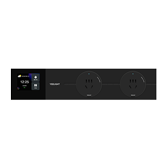
#yeelink.plug.plug2
Yeelight T1系列智能轨道插座Lite
urn:miot-spec-v2:device:outlet:0000A002:yeelink-plug2:1:0000D032
Language
Service tree
Switch#2 · switch3 properties1 actions
Switch
#2 · switch
Properties
Switch Status
#1 · on
- Format
- bool
- Access
- R / W / N
- Value
- —
Default Power On State
#2 · default-power-on-state
- Format
- uint8
- Access
- R / W / N
- Value
- 0Default1Off2On
Device Fault
#4 · fault
- Format
- uint32
- Access
- R / N
- Value
- 0 ~ 4294967295, step 1
Actions
Toggle
#1 · toggle
Power Consumption#3 · power-consumption5 properties
Power Consumption
#3 · power-consumption
Properties
Power Consumption
#1 · power-consumption
- Format
- float
- Access
- R / N
- Value
- 0 ~ 65535, step 0.01 kWh
Electric Power
#2 · electric-power
- Format
- uint16
- Access
- R / N
- Value
- 0 ~ 8000, step 1 watt
Power Consumption Accumulate Way
#3 · power-consumption-accumulation-way
- Format
- bool
- Access
- R / N
- Value
- —
Voltage
#4 · voltage
- Format
- float
- Access
- R / N
- Value
- 0 ~ 65535, step 1 V
Electric Current
#5 · electric-current
- Format
- float
- Access
- R / N
- Value
- 0 ~ 65535, step 1 mA
Physical Controls Locked#5 · physical-controls-locked1 properties
Physical Controls Locked
#5 · physical-controls-locked
Properties
Physical Controls Locked
#1 · physical-controls-locked
- Format
- bool
- Access
- R / W / N
- Value
- —
Switch Sensor#7 · switch-sensor1 properties1 events
Switch Sensor
#7 · switch-sensor
Properties
Button Type
#1 · button-type
- Format
- uint8
- Access
- Value
- 1Scene 12Scene 23Scene 34Scene 4
Events
Click
#1 · click
Arguments
#1Button Typeuint8
Custom Function#8 · custom-function8 properties
Custom Function
#8 · custom-function
Properties
Induction Function Switch
#2 · induction-switch
- Format
- bool
- Access
- R / W / N
- Value
- —
Power Super Value Setting
#3 · power-alarm-settings
- Format
- uint16
- Access
- R / W / N
- Value
- 1 ~ 8000, step 1 watt
Standby Effect
#4 · standby-effect
- Format
- uint8
- Access
- R / W / N
- Value
- 0Standby Screen Saver1Standby Screen Off2Standby Main Page
Standby Time
#5 · standby-time
- Format
- uint32
- Access
- R / W / N
- Value
- 1 ~ 4294967295, step 1
Scene Names Are Issued Synchronously
#6 · name-synchronization
- Format
- uint32
- Access
- W
- Value
- 0 ~ 4294967295, step 1
Sensing state
#8 · sensing-state
- Format
- uint8
- Access
- R / N
- Value
- 0No Sensing1Sensing No One2Sense Someone
Get
#9 · get
- Format
- uint8
- Access
- W
- Value
- 1More Settings 12More Settings 2
Buzzer function switch
#10 · buzzer-function
- Format
- bool
- Access
- R / W / N
- Value
- —