
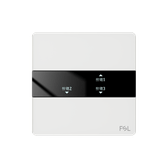
#sfl.switch.fsls03
FSL 屏显零火三开
urn:miot-spec-v2:device:switch:0000A003:sfl-fsls03:1:0000C847
Language
Service tree
First Switch Service#2 · switch2 properties1 actions
First Switch Service
#2 · switch
Properties
First Switch
#1 · on
- Format
- bool
- Access
- R / W / N
- Value
- —
Mode
#2 · mode
- Format
- uint8
- Access
- R / W / N
- Value
- 0Wired And Wireless1Wireless
Actions
Toggle
#1 · toggle
Second Switch Service#3 · switch2 properties1 actions
Second Switch Service
#3 · switch
Properties
Second Switch
#1 · on
- Format
- bool
- Access
- R / W / N
- Value
- —
Mode
#2 · mode
- Format
- uint8
- Access
- R / W / N
- Value
- 0Wired And Wireless1Wireless
Actions
Toggle
#1 · toggle
Third Switch Service#4 · switch2 properties1 actions
Third Switch Service
#4 · switch
Properties
Third Switch
#1 · on
- Format
- bool
- Access
- R / W / N
- Value
- —
Mode
#2 · mode
- Format
- uint8
- Access
- R / W / N
- Value
- 0Wired And Wireless1Wireless
Actions
Toggle
#1 · toggle
First Switch Sensor#5 · switch-sensor1 properties3 events
First Switch Sensor
#5 · switch-sensor
Properties
Mode
#1 · mode
- Format
- uint8
- Access
- R / W / N
- Value
- 0Multiple Click1Quick Single Click
Events
Click
#1 · click
Double Click
#2 · double-click
Long Press
#3 · long-press
Second Switch Sensor#6 · switch-sensor1 properties3 events
Second Switch Sensor
#6 · switch-sensor
Properties
Mode
#1 · mode
- Format
- uint8
- Access
- R / W / N
- Value
- 0Multiple Click1Quick Single Click
Events
Click
#1 · click
Double Click
#2 · double-click
Long Press
#3 · long-press
Third Switch Sensor#7 · switch-sensor1 properties3 events
Third Switch Sensor
#7 · switch-sensor
Properties
Mode
#1 · mode
- Format
- uint8
- Access
- R / W / N
- Value
- 0Multiple Click1Quick Single Click
Events
Click
#1 · click
Double Click
#2 · double-click
Long Press
#3 · long-press
Button Enter Online Momentary Mode#10 · flexible-mode3 properties
Button Enter Online Momentary Mode
#10 · flexible-mode
Properties
Button 1 Enter Online Momentary Mode
#1 · flexible-mode-a
- Format
- bool
- Access
- R / W / N
- Value
- —
Button 2 enters online momentary mode
#2 · flexible-mode-b
- Format
- bool
- Access
- R / W / N
- Value
- —
Button 3 Enter Online Momentary Mode
#3 · flexible-mode-c
- Format
- bool
- Access
- R / W / N
- Value
- —
Left Button Momentary Milliseconds#11 · jog-delay-time1 properties
Left Button Momentary Milliseconds
#11 · jog-delay-time
Properties
Button Momentary Delay Milliseconds
#1 · jog-delay-time
- Format
- uint16
- Access
- R / W / N
- Value
- 0 ~ 65535, step 1
Middle Button Momentary Milliseconds#12 · jog-delay-time1 properties
Middle Button Momentary Milliseconds
#12 · jog-delay-time
Properties
Button Momentary Milliseconds
#1 · jog-delay-time
- Format
- uint16
- Access
- R / W / N
- Value
- 0 ~ 65535, step 1
Right Button Momentary Milliseconds#13 · jog-delay-time1 properties
Right Button Momentary Milliseconds
#13 · jog-delay-time
Properties
Button Momentary Milliseconds
#1 · jog-delay-time
- Format
- uint16
- Access
- R / W / N
- Value
- 0 ~ 65535, step 1
Left Button Load Mapping#14 · switch-relay1 properties
Left Button Load Mapping
#14 · switch-relay
Properties
Button Load Mapping
#1 · switch-relay
- Format
- uint8
- Access
- R / W / N
- Value
- 0 ~ 3, step 1
Middle Button Corresponding Load Mapping#15 · switch-relay1 properties
Middle Button Corresponding Load Mapping
#15 · switch-relay
Properties
Button Load Mapping
#1 · switch-relay
- Format
- uint8
- Access
- R / W / N
- Value
- 0 ~ 3, step 1
Right Button Load Mapping#16 · switch-relay1 properties
Right Button Load Mapping
#16 · switch-relay
Properties
Button Load Mapping
#1 · switch-relay
- Format
- uint8
- Access
- R / W / N
- Value
- 0 ~ 3, step 1
Left Button Default State After Power On#17 · default-state1 properties
Left Button Default State After Power On
#17 · default-state
Properties
Default State After Power On
#1 · default-state
- Format
- uint8
- Access
- R / W / N
- Value
- 0On1Off2Restore
Middle Button Default State After Power On#18 · default-state1 properties
Middle Button Default State After Power On
#18 · default-state
Properties
Default State After Power On
#1 · default-state
- Format
- uint8
- Access
- R / W / N
- Value
- 0On1Off2Restore
Right Button Default State After Power On#19 · default-state1 properties
Right Button Default State After Power On
#19 · default-state
Properties
Default State After Power On
#1 · default-state
- Format
- uint8
- Access
- R / W / N
- Value
- 0On1Off2Restore
Button Backlight Mode#20 · backlight-mode3 properties
Button Backlight Mode
#20 · backlight-mode
Properties
Left Button Backlight Mode
#1 · backlight-mode-i
- Format
- uint8
- Access
- R / W / N
- Value
- 0Off1On2Blink
Middle Button Backlight Mode
#2 · backlight-mode-ii
- Format
- uint8
- Access
- R / W / N
- Value
- 0Off1On2Blink
Right Button Backlight Mode
#3 · backlight-mode-iii
- Format
- uint8
- Access
- R / W / N
- Value
- 0Off1On2Blink
Local Mutual Control Release#21 · mutual-control3 properties
Local Mutual Control Release
#21 · mutual-control
Properties
Left Button Mutual Control Allowed, Release Allowed
#1 · mutual-control-i
- Format
- bool
- Access
- R / W / N
- Value
- —
Middle Button Mutual Control Allowed, Release Allowed
#2 · mutual-control-ii
- Format
- bool
- Access
- R / W / N
- Value
- —
Right Button Mutual Control Allowed, Release Allowed
#3 · mutual-control-iii
- Format
- bool
- Access
- R / W / N
- Value
- —
Left Button Remote Control Binding Table#22 · switch-panel11 properties
Left Button Remote Control Binding Table
#22 · switch-panel
Properties
Remote Control 1 MAC Address Low 4 Bytes
#1 · panel-mac-a
- Format
- uint32
- Access
- R / W / N
- Value
- 0 ~ 4294967295, step 1
Remote Control 2 MAC Address Low 4 Bytes
#2 · panel-mac-b
- Format
- uint32
- Access
- R / W / N
- Value
- 0 ~ 4294967295, step 1
Remote Control 3 MAC Address Low 4 Bytes
#3 · panel-mac-c
- Format
- uint32
- Access
- R / W / N
- Value
- 0 ~ 4294967295, step 1
Remote Control 4 MAC Address Low 4 Bytes
#4 · panel-mac-d
- Format
- uint32
- Access
- R / W / N
- Value
- 0 ~ 4294967295, step 1
Remote Control 5 MAC Address Low 4 Bytes
#5 · panel-mac-e
- Format
- uint32
- Access
- R / W / N
- Value
- 0 ~ 4294967295, step 1
Remote Control 6 MAC Address Low 4 Bytes
#6 · panel-mac-f
- Format
- uint32
- Access
- R / W / N
- Value
- 0 ~ 4294967295, step 1
Remote Control 7 MAC Address Low 4 Bytes
#7 · panel-mac-g
- Format
- uint32
- Access
- R / W / N
- Value
- 0 ~ 4294967295, step 1
Remote Control 8 MAC Address Low 4 Bytes
#8 · panel-mac-h
- Format
- uint32
- Access
- R / W / N
- Value
- 0 ~ 4294967295, step 1
Remote Control 9 MAC Address Low 4 Bytes
#9 · panel-mac-i
- Format
- uint32
- Access
- R / W / N
- Value
- 0 ~ 4294967295, step 1
Remote Control 10 MAC Address Low 4 Bytes
#10 · panel-mac-j
- Format
- uint32
- Access
- R / W / N
- Value
- 0 ~ 4294967295, step 1
Remote Control 11 MAC Address Low 4 Bytes
#11 · panel-mac-k
- Format
- uint32
- Access
- R / W / N
- Value
- 0 ~ 4294967295, step 1
Middle Button Remote Control Binding Table#23 · switch-panel11 properties
Middle Button Remote Control Binding Table
#23 · switch-panel
Properties
Remote Control 1 MAC Address Low 4 Bytes
#1 · panel-mac-a
- Format
- uint32
- Access
- R / W / N
- Value
- 0 ~ 4294967295, step 1
Remote Control 2 MAC Address Low 4 Bytes
#2 · panel-mac-b
- Format
- uint32
- Access
- R / W / N
- Value
- 0 ~ 4294967295, step 1
Remote Control 3 MAC Address Low 4 Bytes
#3 · panel-mac-c
- Format
- uint32
- Access
- R / W / N
- Value
- 0 ~ 4294967295, step 1
Remote Control 4 MAC Address Low 4 Bytes
#4 · panel-mac-d
- Format
- uint32
- Access
- R / W / N
- Value
- 0 ~ 4294967295, step 1
Remote Control 5 MAC Address Low 4 Bytes
#5 · panel-mac-e
- Format
- uint32
- Access
- R / W / N
- Value
- 0 ~ 4294967295, step 1
Remote Control 6 MAC Address Low 4 Bytes
#6 · panel-mac-f
- Format
- uint32
- Access
- R / W / N
- Value
- 0 ~ 4294967295, step 1
Remote Control 7 MAC Address Low 4 Bytes
#7 · panel-mac-g
- Format
- uint32
- Access
- R / W / N
- Value
- 0 ~ 4294967295, step 1
Remote Control 8 MAC Address Low 4 Bytes
#8 · panel-mac-h
- Format
- uint32
- Access
- R / W / N
- Value
- 0 ~ 4294967295, step 1
Remote Control 9 MAC Address Low 4 Bytes
#9 · panel-mac-i
- Format
- uint32
- Access
- R / W / N
- Value
- 0 ~ 4294967295, step 1
Remote Control 10 MAC Address Low 4 Bytes
#10 · panel-mac-j
- Format
- uint32
- Access
- R / W / N
- Value
- 0 ~ 4294967295, step 1
Remote Control 11 MAC Address Low 4 Bytes
#11 · panel-mac-k
- Format
- uint32
- Access
- R / W / N
- Value
- 0 ~ 4294967295, step 1
Right Button Remote Control Binding Table#24 · switch-panel11 properties
Right Button Remote Control Binding Table
#24 · switch-panel
Properties
Remote Control 1 MAC Address Low 4 Bytes
#1 · panel-mac-a
- Format
- uint32
- Access
- R / W / N
- Value
- 0 ~ 4294967295, step 1
Remote Control 2 MAC Address Low 4 Bytes
#2 · panel-mac-b
- Format
- uint32
- Access
- R / W / N
- Value
- 0 ~ 4294967295, step 1
Remote Control 3 MAC Address Low 4 Bytes
#3 · panel-mac-c
- Format
- uint32
- Access
- R / W / N
- Value
- 0 ~ 4294967295, step 1
Remote Control 4 MAC Address Low 4 Bytes
#4 · panel-mac-d
- Format
- uint32
- Access
- R / W / N
- Value
- 0 ~ 4294967295, step 1
Remote Control 5 MAC Address Low 4 Bytes
#5 · panel-mac-e
- Format
- uint32
- Access
- R / W / N
- Value
- 0 ~ 4294967295, step 1
Remote Control 6 MAC Address Low 4 Bytes
#6 · panel-mac-f
- Format
- uint32
- Access
- R / W / N
- Value
- 0 ~ 4294967295, step 1
Remote Control 7 MAC Address Low 4 Bytes
#7 · panel-mac-g
- Format
- uint32
- Access
- R / W / N
- Value
- 0 ~ 4294967295, step 1
Remote Control 8 MAC Address Low 4 Bytes
#8 · panel-mac-h
- Format
- uint32
- Access
- R / W / N
- Value
- 0 ~ 4294967295, step 1
Remote Control 9 MAC Address Low 4 Bytes
#9 · panel-mac-i
- Format
- uint32
- Access
- R / W / N
- Value
- 0 ~ 4294967295, step 1
Remote Control 10 MAC Address Low 4 Bytes
#10 · panel-mac-j
- Format
- uint32
- Access
- R / W / N
- Value
- 0 ~ 4294967295, step 1
Remote Control 11 MAC Address Low 4 Bytes
#11 · panel-mac-k
- Format
- uint32
- Access
- R / W / N
- Value
- 0 ~ 4294967295, step 1
Button Enter Remote Control Binding Mode#25 · panel-add-enable3 properties
Button Enter Remote Control Binding Mode
#25 · panel-add-enable
Properties
Left Button Enter Remote Control Binding Mode
#1 · panel-add-enable-a
- Format
- bool
- Access
- R / W / N
- Value
- —
Middle Button Enter Remote Control Binding Mode
#2 · panel-add-enable-b
- Format
- bool
- Access
- R / W / N
- Value
- —
Right Button Enter Remote Control Binding Mode
#3 · panel-add-enable-c
- Format
- bool
- Access
- R / W / N
- Value
- —
Button Enter Momentary Mode#26 · jog-enable3 properties
Button Enter Momentary Mode
#26 · jog-enable
Properties
Left Button Enter Momentary Mode
#1 · jog-enable-a
- Format
- bool
- Access
- R / W / N
- Value
- —
Middle Button Enter Momentary Mode
#2 · jog-enable-b
- Format
- bool
- Access
- R / W / N
- Value
- —
Right Button Enter Momentary Mode
#3 · jog-enable-c
- Format
- bool
- Access
- R / W / N
- Value
- —
Left Button Online Momentary Delay#27 · flexible-time1 properties
Left Button Online Momentary Delay
#27 · flexible-time
Properties
Button Online Momentary Delay Milliseconds
#1 · flexible-time
- Format
- uint16
- Access
- R / W / N
- Value
- 0 ~ 65535, step 1
Middle Button Online Momentary Delay#28 · flexible-time1 properties
Middle Button Online Momentary Delay
#28 · flexible-time
Properties
Button Online Momentary Delay Milliseconds
#1 · flexible-time
- Format
- uint16
- Access
- R / W / N
- Value
- 0 ~ 65535, step 1
Right Button Online Momentary Delay#29 · flexible-time1 properties
Right Button Online Momentary Delay
#29 · flexible-time
Properties
Button Online Momentary Delay Milliseconds
#1 · flexible-time
- Format
- uint16
- Access
- R / W / N
- Value
- 0 ~ 65535, step 1
Text Display#30 · text-set12 properties
Text Display
#30 · text-set
Properties
Screen 1 first 2 CJK chars or letters, digits
#1 · text-a-a
- Format
- uint32
- Access
- R / W / N
- Value
- 0 ~ 4294967295, step 1
Screen 1 last 2 CJK chars or letters, digits
#2 · text-a-b
- Format
- uint32
- Access
- R / W / N
- Value
- 0 ~ 4294967295, step 1
Screen 1 last 4 letters, digits
#3 · text-a-c
- Format
- uint32
- Access
- R / W / N
- Value
- 0 ~ 4294967295, step 1
Screen 1 last 4 letters, digits
#4 · text-a-d
- Format
- uint32
- Access
- R / W / N
- Value
- 0 ~ 4294967295, step 1
Screen 2 first 2 CJK chars or letters, digits
#5 · text-b-a
- Format
- uint32
- Access
- R / W / N
- Value
- 0 ~ 4294967295, step 1
Screen 2 last 2 CJK chars or letters, digits
#6 · text-b-b
- Format
- uint32
- Access
- R / W / N
- Value
- 0 ~ 4294967295, step 1
Screen 2 last 4 letters, digits
#7 · text-b-c
- Format
- uint32
- Access
- R / W / N
- Value
- 0 ~ 4294967295, step 1
Screen 2 last 4 letters, digits
#8 · text-b-d
- Format
- uint32
- Access
- R / W / N
- Value
- 0 ~ 4294967295, step 1
Screen 3 first 2 CJK chars or letters, digits
#9 · text-c-a
- Format
- uint32
- Access
- R / W / N
- Value
- 0 ~ 4294967295, step 1
Screen 3 trailing 2 Chinese characters/letters.digits
#10 · text-c-b
- Format
- uint32
- Access
- R / W / N
- Value
- 0 ~ 4294967295, step 1
Screen 3 trailing 4 letters.digits
#11 · text-c-c
- Format
- uint32
- Access
- R / W / N
- Value
- 0 ~ 4294967295, step 1
Screen 3 trailing 4 letters.digits
#12 · text-c-d
- Format
- uint32
- Access
- R / W / N
- Value
- 0 ~ 4294967295, step 1
Button enters dimming button mode#31 · dimming-mode3 properties6 actions
Button enters dimming button mode
#31 · dimming-mode
Properties
Button 1 Enter Dimming Button Mode
#1 · dimming-mode-a
- Format
- bool
- Access
- R / W / N
- Value
- —
Button 2 Enters Dimming Button Mode
#2 · dimming-mode-b
- Format
- bool
- Access
- R / W / N
- Value
- —
Button 3 Enter Dimming Button Mode
#3 · dimming-mode-c
- Format
- bool
- Access
- R / W / N
- Value
- —
Actions
Button 1 Binding
#1 · dimming-pair-a
Button 2 Binding
#2 · dimming-pair-b
Button 3 Binding
#3 · dimming-pair-c
Button 1 Unbind
#4 · dimming-unbind-a
Button 2 Unbind
#5 · dimming-unbind-b
Button 3 Unbind
#6 · dimming-unbind-c
Wireless Switch Brightness Setting#32 · wireless-brightness1 properties
Wireless Switch Brightness Setting
#32 · wireless-brightness
Properties
Wireless Switch Brightness Setting
#1 · wireles-brightness
- Format
- uint8
- Access
- R / W / N
- Value
- 0Low1High