
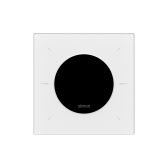
#scc.switch.sw04
Simon智能屏键开关
urn:miot-spec-v2:device:switch:0000A003:scc-sw04:1:0000D045
Language
Service tree
First Switch Service#2 · switch2 properties1 actions
First Switch Service
#2 · switch
Properties
Button 1
#1 · on
- Format
- bool
- Access
- R / W / N
- Value
- —
Mode
#2 · mode
- Format
- uint8
- Access
- R / W / N
- Value
- 0Wired And Wireless1Wireless
Actions
Toggle
#1 · toggle
Second Switch Service#3 · switch2 properties1 actions
Second Switch Service
#3 · switch
Properties
Button 2
#1 · on
- Format
- bool
- Access
- R / W / N
- Value
- —
Mode
#2 · mode
- Format
- uint8
- Access
- R / W / N
- Value
- 0Wired And Wireless1Wireless
Actions
Toggle
#1 · toggle
First Switch Sensor#4 · switch-sensor1 properties3 events
First Switch Sensor
#4 · switch-sensor
Properties
Mode
#1 · mode
- Format
- uint8
- Access
- R / W / N
- Value
- 0Quick Single Click1Multiple Click
Events
Click
#1 · click
Double Click
#2 · double-click
Long Press
#3 · long-press
Second Switch Sensor#5 · switch-sensor1 properties3 events
Second Switch Sensor
#5 · switch-sensor
Properties
Mode
#1 · mode
- Format
- uint8
- Access
- R / W / N
- Value
- 0Quick Single Click1Multiple Click
Events
Click
#1 · click
Double Click
#2 · double-click
Long Press
#3 · long-press
Switch Sensor#8 · switch-sensor1 properties3 events
Switch Sensor
#8 · switch-sensor
Properties
Mode
#1 · mode
- Format
- uint8
- Access
- R / W / N
- Value
- 0Quick Single Click1Multiple Click
Events
Click
#1 · click
Double Click
#2 · double-click
Long Press
#3 · long-press
Switch Sensor#9 · switch-sensor1 properties3 events
Switch Sensor
#9 · switch-sensor
Properties
Mode
#1 · mode
- Format
- uint8
- Access
- R / W / N
- Value
- 0Quick Single Click1Multiple Click
Events
Click
#1 · click
Double Click
#2 · double-click
Long Press
#3 · long-press
Scene 1#19 · switch-sensor1 events
Scene 1
#19 · switch-sensor
Events
Scene 1
#1 · click
Scene 2#20 · switch-sensor1 events
Scene 2
#20 · switch-sensor
Events
Scene 2
#1 · click
Scene 3#21 · switch-sensor1 events
Scene 3
#21 · switch-sensor
Events
Scene 3
#1 · click
Scene 4#22 · switch-sensor1 events
Scene 4
#22 · switch-sensor
Events
Scene 4
#1 · click
Advanced Settings#11 · adv-setting23 properties3 actions
Advanced Settings
#11 · adv-setting
Properties
Loop interlock
#1 · load-mutex
- Format
- uint8
- Access
- R / W / N
- Value
- 0 ~ 31, step 1
Power-on status
#2 · pwr-state
- Format
- uint8
- Access
- R / W / N
- Value
- 0 ~ 31, step 1
Key mode
#3 · key-mode
- Format
- uint32
- Access
- R / W / N
- Value
- 0 ~ 4294967295, step 1
Scene devices and hiding
#4 · scene-show-hidden
- Format
- uint32
- Access
- R / W / N
- Value
- 0 ~ 4294967295, step 1
The duration of flexible power outages
#5 · flex-off-time
- Format
- uint8
- Access
- R / W / N
- Value
- 1 ~ 20, step 1
Loop pattern
#6 · load-mode
- Format
- uint16
- Access
- R / W / N
- Value
- 0 ~ 65535, step 1
Loop mapping
#7 · key-load-map
- Format
- uint32
- Access
- R / W / N
- Value
- 0 ~ 4294967295, step 1
Screen backlight level
#8 · bk-level
- Format
- uint8
- Access
- R / W / N
- Value
- 0 ~ 2, step 1
Induction switch
#9 · pir-onoff
- Format
- bool
- Access
- R / W / N
- Value
- —
Click duration: 1
#10 · jog-time-one
- Format
- uint32
- Access
- R / W / N
- Value
- 1 ~ 36000, step 1
Click duration: 2
#11 · jog-time-two
- Format
- uint16
- Access
- R / W / N
- Value
- 1 ~ 36000, step 1
Click duration: 3
#12 · jog-time-three
- Format
- uint16
- Access
- R / W / N
- Value
- 1 ~ 36000, step 1
Click duration: 4
#13 · jog-time-four
- Format
- uint32
- Access
- R / W / N
- Value
- 1 ~ 36000, step 1
Fully open/Fully closed
#14 · all-onoff
- Format
- uint8
- Access
- W
- Value
- 0 ~ 255, step 1
Screen theme
#15 · screen-topic
- Format
- uint8
- Access
- R / W / N
- Value
- 1 ~ 4, step 1
Screen-off time
#16 · screen-delay-offtime
- Format
- uint16
- Access
- R / W / N
- Value
- 15 ~ 65535, step 1
Do Not Disturb mode enabled
#17 · do-not-disturb-en
- Format
- bool
- Access
- R / W / N
- Value
- —
Do not disturb the time Settings
#18 · do-not-disturb-time
- Format
- uint32
- Access
- R / W / N
- Value
- 0 ~ 4294967295, step 1
Delay to enter standby mode
#19 · delay-enter-scr-off
- Format
- uint16
- Access
- R / W / N
- Value
- 5 ~ 900, step 1
The standby mode shows the screen off
#20 · screen-off-display
- Format
- bool
- Access
- R / W / N
- Value
- —
Button 3
#21 · first-key
- Format
- bool
- Access
- R / W / N
- Value
- —
Button 4
#22 · second-key
- Format
- bool
- Access
- R / W / N
- Value
- —
#23 · timr-set
- Format
- uint32
- Access
- W
- Value
- 1735660800 ~ 4294967295, step 1
Actions
Ultra-fast full on/full off
#1 · onoff-action
Input
#14Fully open/Fully closeduint8
Press Key 3 to flip
#2 · three-key-toggle
Press Key 4 to flip
#3 · four-key-toggle
Lamp 1#12 · light3 properties
Lamp 1
#12 · light
Properties
Switch
#1 · on
- Format
- bool
- Access
- R / W / N
- Value
- —
Brightness
#2 · brightness
- Format
- uint8
- Access
- R / W / N
- Value
- 1 ~ 100, step 1 percentage
Color temperature
#3 · color-tempperature
- Format
- uint32
- Access
- R / W / N
- Value
- 2700 ~ 6500, step 1 kelvin
Lamp 2#13 · light3 properties
Lamp 2
#13 · light
Properties
Switch
#1 · on
- Format
- bool
- Access
- R / W / N
- Value
- —
Brightness
#2 · brightness
- Format
- uint8
- Access
- R / W / N
- Value
- 1 ~ 100, step 1 percentage
Color temperature
#3 · color-tempperature
- Format
- uint32
- Access
- R / W / N
- Value
- 2700 ~ 6500, step 1 kelvin
Curtain 1#14 · curtain4 properties
Curtain 1
#14 · curtain
Properties
Motor control
#1 · motor-control
- Format
- uint8
- Access
- W
- Value
- 0Open1Close2Pause
Set the position (Note :0 for all off, 100 for all on)
#2 · target-position
- Format
- uint8
- Access
- R / W / N
- Value
- 0 ~ 100, step 1 percentage
Work status
#3 · status
- Format
- uint8
- Access
- R / N
- Value
- 0Opening1Closeing2Stop
Current position
#4 · current-position
- Format
- uint8
- Access
- R / N
- Value
- 0 ~ 100, step 1 percentage
Curtain 2#15 · curtain4 properties
Curtain 2
#15 · curtain
Properties
Motor control
#1 · motor-control
- Format
- uint8
- Access
- W
- Value
- 0Open1Close2Pause
Set the position (Note :0 for all off, 100 for all on)
#2 · target-position
- Format
- uint8
- Access
- R / W / N
- Value
- 0 ~ 100, step 1 percentage
Work status
#3 · status
- Format
- uint8
- Access
- R / N
- Value
- 0Opening1Closeing2Stop
Current position
#4 · current-position
- Format
- uint8
- Access
- R / N
- Value
- 0 ~ 100, step 1
air conditioner#16 · air-conditioner4 properties
air conditioner
#16 · air-conditioner
Properties
Switch
#1 · on
- Format
- bool
- Access
- R / W / N
- Value
- —
Temperature
#2 · temperature
- Format
- uint8
- Access
- R / W / N
- Value
- 16 ~ 32, step 1
Mode
#3 · model
- Format
- uint8
- Access
- R / W / N
- Value
- 1Cold2Hot3Air4Dehumi
Fan gear
#4 · fan-level
- Format
- uint8
- Access
- R / W / N
- Value
- 1High2Medium3Low4Auto
Dual-control switch function#17 · switch-dual-ctrl9 properties
Dual-control switch function
#17 · switch-dual-ctrl
Properties
Dual-control switch command
#1 · sk-ch-cmd
- Format
- uint16
- Access
- W
- Value
- 0 ~ 65535, step 1
Remote Control 1
#2 · remoter-a
- Format
- uint32
- Access
- R / N
- Value
- 0 ~ 4294967295, step 1
Remote Control 2
#3 · remoter-b
- Format
- uint32
- Access
- R / N
- Value
- 0 ~ 4294967295, step 1
Remote Control 3
#4 · remoter-c
- Format
- uint32
- Access
- R / N
- Value
- 0 ~ 4294967295, step 1
Remote Control 4
#5 · remoter-d
- Format
- uint32
- Access
- R / N
- Value
- 0 ~ 4294967295, step 1
Remote Control 5
#6 · remoter-e
- Format
- uint32
- Access
- R / N
- Value
- 0 ~ 4294967295, step 1
Remote Control 6
#7 · remoter-f
- Format
- uint32
- Access
- R / N
- Value
- 0 ~ 4294967295, step 1
Remote Control 7
#8 · remoter-g
- Format
- uint32
- Access
- R / N
- Value
- 0 ~ 4294967295, step 1
Remote Control 8
#9 · remoter-h
- Format
- uint32
- Access
- R / N
- Value
- 0 ~ 4294967295, step 1
Local scene#18 · local-scene9 properties
Local scene
#18 · local-scene
Properties
Scene 1
#1 · scene-one
- Format
- uint32
- Access
- R / W / N
- Value
- 0 ~ 4294967295, step 1
Scene 2
#2 · scene-two
- Format
- uint32
- Access
- R / W / N
- Value
- 0 ~ 4294967295, step 1
Scene 3
#3 · scene-three
- Format
- uint32
- Access
- R / W / N
- Value
- 0 ~ 4294967295, step 1
Scene 4
#4 · scene-four
- Format
- uint32
- Access
- R / W / N
- Value
- 0 ~ 4294967295, step 1
Scene 5
#5 · scene-five
- Format
- uint32
- Access
- R / W / N
- Value
- 0 ~ 4294967295, step 1
Scene 6
#6 · scene-six
- Format
- uint32
- Access
- R / W / N
- Value
- 0 ~ 4294967295, step 1
Scene 7
#7 · scene-seven
- Format
- uint32
- Access
- R / W / N
- Value
- 0 ~ 4294967295, step 1
Scene 8
#8 · scene-eight
- Format
- uint32
- Access
- R / W / N
- Value
- 0 ~ 4294967295, step 1
Scenario execution
#9 · scene-act
- Format
- uint8
- Access
- W
- Value
- 1 ~ 8, step 1