
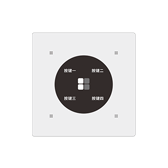
#nvcsmt.switch.bis403
小雷易家鸿雪Plus四键屏显开关
urn:miot-spec-v2:device:switch:0000A003:nvcsmt-bis403:1:0000D010
Language
Service tree
First Switch Service#2 · switch3 properties1 actions
First Switch Service
#2 · switch
Properties
Button 1
#1 · on
- Format
- bool
- Access
- R / W / N
- Value
- —
Mode
#2 · mode
- Format
- uint8
- Access
- R / W / N
- Value
- 0Wired And Wireless1Wireless
Default Power On State
#3 · default-power-on-state
- Format
- uint8
- Access
- R / W / N
- Value
- 0Off1On2Default
Actions
Toggle
#1 · toggle
Second Switch Service#3 · switch3 properties1 actions
Second Switch Service
#3 · switch
Properties
Button 2
#1 · on
- Format
- bool
- Access
- R / W / N
- Value
- —
Mode
#2 · mode
- Format
- uint8
- Access
- R / W / N
- Value
- 0Wired And Wireless1Wireless
Default Power On State
#3 · default-power-on-state
- Format
- uint8
- Access
- R / W / N
- Value
- 0Off1On2Default
Actions
Toggle
#1 · toggle
Third Switch Service#4 · switch3 properties1 actions
Third Switch Service
#4 · switch
Properties
Button 3
#1 · on
- Format
- bool
- Access
- R / W / N
- Value
- —
Mode
#2 · mode
- Format
- uint8
- Access
- R / W / N
- Value
- 0Wired And Wireless1Wireless
Default Power On State
#3 · default-power-on-state
- Format
- uint8
- Access
- R / W / N
- Value
- 0Off1On2Default
Actions
Toggle
#1 · toggle
Fourth Switch Service#5 · switch3 properties1 actions
Fourth Switch Service
#5 · switch
Properties
Button 4
#1 · on
- Format
- bool
- Access
- R / W / N
- Value
- —
Mode
#2 · mode
- Format
- uint8
- Access
- R / W / N
- Value
- 0Wired And Wireless1Wireless
Default Power On State
#3 · default-power-on-state
- Format
- uint8
- Access
- R / W / N
- Value
- 0Off1On2Default
Actions
Toggle
#1 · toggle
Switch Sensor#10 · switch-sensor1 events
Switch Sensor
#10 · switch-sensor
Events
Click
#1 · click
Occupancy Sensor#22 · occupancy-sensor3 properties
Occupancy Sensor
#22 · occupancy-sensor
Properties
Occupancy Status
#1 · occupancy-status
- Format
- uint8
- Access
- R / N
- Value
- 0No One1Has One
No One Determine Time
#3 · no-one-determine-time
- Format
- uint16
- Access
- R / W / N
- Value
- 20 ~ 300, step 1 seconds
Has Someone Detection Sensitivity
#2 · has-someone-detection-sensitivity
- Format
- uint8
- Access
- R / W / N
- Value
- 0Off1Low2Standard3High
Switch Sensor#11 · switch-sensor1 events
Switch Sensor
#11 · switch-sensor
Events
Click
#1 · click
Switch Sensor#12 · switch-sensor1 events
Switch Sensor
#12 · switch-sensor
Events
Click
#1 · click
Switch Sensor#13 · switch-sensor1 events
Switch Sensor
#13 · switch-sensor
Events
Click
#1 · click
Local multi control function#20 · local-control2 properties2 actions
Local multi control function
#20 · local-control
Properties
Binding settings
#1 · binding-settings
- Format
- uint32
- Access
- W
- Value
- 0 ~ 4294967295, step 1
Binding status
#2 · binding-status
- Format
- uint32
- Access
- R / N
- Value
- 0 ~ 4294967295, step 1
Actions
Enter pairing
#1 · enter-pairing
Input
#1Binding settingsuint32
Clear pairing
#2 · clear-pairing
Input
#1Binding settingsuint32
Display Settings#21 · display-settings4 properties
Display Settings
#21 · display-settings
Properties
Button backlight
#1 · backlight
- Format
- bool
- Access
- R / W / N
- Value
- —
Screen brightness
#2 · screen-brightness
- Format
- uint8
- Access
- R / W / N
- Value
- 1Highlight2Soft3Energy Saving
Standby screen shutdown setting
#3 · screen-off
- Format
- uint8
- Access
- R / W / N
- Value
- 110 Second220 Second330 Second41 Min55 Min610 Min7Never
Induction screen illumination
#4 · sensing-screen
- Format
- bool
- Access
- R / W / N
- Value
- —
Name Synchronization#30 · name-synchronization2 properties1 actions1 events
Name Synchronization
#30 · name-synchronization
Properties
Text synchronization
#1 · text-sync
- Format
- uint32
- Access
- W
- Value
- 0 ~ 4294967295, step 1
Text synchronous response
#2 · text-sync-ack
- Format
- uint32
- Access
- N
- Value
- 0 ~ 4294967295, step 1
Actions
Text synchronization
#1 · text-sync
Input
#1Text synchronizationuint32
Events
Text synchronous response
#1 · text-sync-ack
Arguments
#2Text synchronous responseuint32
All on/All off#6 · all-switch2 actions
All on/All off
#6 · all-switch
Actions
All on
#1 · all-on
All off
#2 · all-off
Cloud#15 · cloud4 properties
Cloud
#15 · cloud
Properties
blecode
#1 · blecode
- Format
- uint32
- Access
- R / W / N
- Value
- 0 ~ 4294967295, step 1
Invalid value when did0/256
#2 · did
- Format
- uint16
- Access
- R / W / N
- Value
- 0 ~ 4095, step 1
rid
#3 · rid
- Format
- uint8
- Access
- R / W / N
- Value
- 0 ~ 255, step 1
Cloud Lock
#4 · cloud-lock
- Format
- bool
- Access
- R / W / N
- Value
- —