
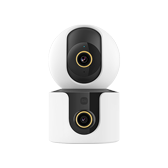
#mxiang.camera.c500os
Xiaomi Smart Camera C500 Dual
urn:miot-spec-v2:device:camera:0000A01C:mxiang-c500os:1:0000D070
Language
Service tree
Camera Control#2 · camera-control16 properties2 actions2 events
Camera Control
#2 · camera-control
Properties
Switch Status
#1 · on
- Format
- bool
- Access
- R / W / N
- Value
- —
Ptz Camera
#2 · ptz-camera
- Format
- bool
- Access
- R / N
- Value
- —
Night Shot
#3 · night-shot
- Format
- uint8
- Access
- R / W / N
- Value
- 0Off1On2Auto
Image Rollover
#4 · image-rollover
- Format
- uint16
- Access
- R / W / N
- Value
- 0 ~ 270, step 90
Time Watermark
#5 · time-watermark
- Format
- bool
- Access
- R / W / N
- Value
- —
Wide Dynamic Range Mode
#6 · wdr-mode
- Format
- bool
- Access
- R / W / N
- Value
- —
Glimmer Full Color
#7 · glimmer-full-color
- Format
- bool
- Access
- R / W / N
- Value
- —
Motion Tracking
#8 · motion-tracking
- Format
- bool
- Access
- R / W / N
- Value
- —
Human Tracking
#9 · human-tracking
- Format
- bool
- Access
- R / W / N
- Value
- —
Ai Frame
#10 · ai-frame
- Format
- bool
- Access
- R / W / N
- Value
- —
Recording Mode
#11 · recording-mode
- Format
- uint8
- Access
- R / W / N
- Value
- 0No Record1Motion Record2All Record
local-storage
#12 · local-storage
- Format
- bool
- Access
- R / W / N
- Value
- —
hdr-mode
#13 · hdr-mode
- Format
- bool
- Access
- R / W / N
- Value
- —
image-distortion-correction
#14 · image-distortion-correction
- Format
- bool
- Access
- R / W / N
- Value
- —
auto-sound-and-light-warning
#15 · auto-sound-and-light-warning
- Format
- bool
- Access
- R / W / N
- Value
- —
manual-sound-and-light-warning
#16 · manual-sound-and-light-warning
- Format
- bool
- Access
- R / W / N
- Value
- —
Actions
Restart Device
#2 · restart-device
PTZ Calibrate
#1 · ptz-calibrate
Events
Ir Turned On
#1 · ir-turned-on
Ir Turned Off
#2 · ir-turned-off
Memory Card Management#3 · memory-card-management6 properties2 actions
Memory Card Management
#3 · memory-card-management
Properties
Status
#1 · status
- Format
- uint8
- Access
- R / N
- Value
- 0 ~ 100, step 1
Storage Total Space
#2 · storage-total-space
- Format
- uint32
- Access
- R / N
- Value
- 0 ~ 2147483648, step 1
Storage Free Space
#3 · storage-free-space
- Format
- uint32
- Access
- R / N
- Value
- 0 ~ 2147483648, step 1
Storage Used Space
#4 · storage-used-space
- Format
- uint32
- Access
- R / N
- Value
- 0 ~ 2147483648, step 1
dialog-ejected
#5 · dialog-ejected
- Format
- bool
- Access
- R / W / N
- Value
- —
remaining-recording-duration
#6 · remaining-recording-duration
- Format
- uint32
- Access
- R / N
- Value
- 0 ~ 2147483648, step 1
Actions
Format
#1 · format
Pop Up
#2 · pop-up
Motion Detection#5 · motion-detection6 properties
Motion Detection
#5 · motion-detection
Properties
Motion Detection
#1 · motion-detection
- Format
- bool
- Access
- R / W / N
- Value
- —
Detection Sensitivity
#3 · detection-sensitivity
- Format
- uint8
- Access
- R / W / N
- Value
- 0Low1Middle2High
Motion Detection Start Time
#4 · motion-detection-start-time
- Format
- string
- Access
- R / W / N
- Value
- —
Motion Detection End Time
#5 · motion-detection-end-time
- Format
- string
- Access
- R / W / N
- Value
- —
alarm-interval
#2 · alarm-interval
- Format
- uint8
- Access
- R / W / N
- Value
- 1 ~ 30, step 1 minutes
Motion Detection Repetition
#6 · motion-detection-repetition
- Format
- string
- Access
- R / W / N
- Value
- —
PP Stream#9 · p2p-stream10 properties3 actions
PP Stream
#9 · p2p-stream
Properties
Video Codec
#1 · video-codec
- Format
- uint8
- Access
- R / N
- Value
- 0H2641H265
Audio Codec
#2 · audio-codec
- Format
- uint8
- Access
- R / N
- Value
- 0G711A1ACC2OPUS3PCM
Audio Bit Width
#3 · audio-bit-width
- Format
- uint8
- Access
- R / N
- Value
- 08116
Audio Smp Rate
#4 · audio-smp-rate
- Format
- uint8
- Access
- R / N
- Value
- 08116232348
Audio Channel
#5 · audio-channel
- Format
- uint8
- Access
- R / N
- Value
- 0Single Channel1Dual Channel
Talk Codec
#6 · talk-codec
- Format
- uint8
- Access
- R / N
- Value
- 0G711A1ACC2OPUS3PCM
Distortion Crt Osd X
#7 · distortion-crt-osdx
- Format
- float
- Access
- R / N
- Value
- 0 ~ 1, step 0.0001
Distortion Crt Osd Y
#8 · distortion-crt-osdy
- Format
- float
- Access
- R / N
- Value
- 0 ~ 1, step 0.0001
Resolution Types
#9 · resolution-types
- Format
- uint8
- Access
- R / N
- Value
- 036014802720310804129651440
Talk Mode
#10 · talk-mode
- Format
- uint8
- Access
- R / N
- Value
- 0Two Way1One Way
Actions
Start P2P Stream
#1 · start-p2p-stream
Stop Camera Stream
#2 · stop-stream
Upload Video
#3 · upload-video
Camera Ipc Cloud#14 · camera-ipc-cloud3 properties
Camera Ipc Cloud
#14 · camera-ipc-cloud
Properties
Gop Value
#1 · gop-value
- Format
- uint8
- Access
- R / N
- Value
- 3 ~ 10, step 1 seconds
Vip Offset Num
#2 · vip-offset-num
- Format
- uint16
- Access
- R / N
- Value
- 1 ~ 600, step 1
Non Vip Offset Num
#3 · non-vip-offset-num
- Format
- uint8
- Access
- R / N
- Value
- 1 ~ 3, step 1
Indicator Light#4 · indicator-light1 properties
Indicator Light
#4 · indicator-light
Properties
Switch Status
#1 · on
- Format
- bool
- Access
- R / W / N
- Value
- —
Speaker#6 · speaker2 properties
Speaker
#6 · speaker
Properties
Volume
#1 · volume
- Format
- uint8
- Access
- R / W / N
- Value
- 0 ~ 100, step 1 percentage
Mute
#2 · mute
- Format
- bool
- Access
- R / W / N
- Value
- —
Microphone#7 · microphone2 properties
Microphone
#7 · microphone
Properties
Volume
#1 · volume
- Format
- uint8
- Access
- R / W / N
- Value
- 0 ~ 100, step 1 percentage
Mute
#2 · mute
- Format
- bool
- Access
- R / W / N
- Value
- —
Ai Detection#8 · ai-detection23 properties11 events
Ai Detection
#8 · ai-detection
Properties
Face Detection Switch
#1 · face-detection-switch
- Format
- bool
- Access
- R / W / N
- Value
- —
Identity Id
#2 · identity-id
- Format
- string
- Access
- Value
- —
Pet Detection Switch
#3 · pet-detection-switch
- Format
- bool
- Access
- R / W / N
- Value
- —
Hand Gesture Detection Switch
#4 · hand-gesture-detection-switch
- Format
- bool
- Access
- R / W / N
- Value
- —
Hand Gesture Name
#5 · hand-gesture-name
- Format
- uint8
- Access
- Value
- 0Yeah1Ok2Palm
Human Detection
#6 · human-detection
- Format
- bool
- Access
- R / W / N
- Value
- —
Move Detection
#7 · move-detection
- Format
- bool
- Access
- R / W / N
- Value
- —
Babycry Detection Switch
#8 · babycry-detection-switch
- Format
- bool
- Access
- R / W / N
- Value
- —
pets-type
#9 · pets-type
- Format
- uint8
- Access
- Value
- 0cat1dog
goods-detection
#10 · goods-detection
- Format
- bool
- Access
- R / W / N
- Value
- —
goods-type
#11 · goods-type
- Format
- uint8
- Access
- Value
- 0box1express
current-time
#12 · current-time
- Format
- uint32
- Access
- Value
- 0 ~ 4294967295, step 1
car-detection
#13 · car-detection
- Format
- bool
- Access
- R / W / N
- Value
- —
car-detected-mode
#14 · car-detected-mode
- Format
- bool
- Access
- R / W / N
- Value
- —
person-approaching-car-mode
#15 · person-approaching-car-mode
- Format
- bool
- Access
- R / W / N
- Value
- —
detection-area
#16 · detection-area
- Format
- string
- Access
- R / W / N
- Value
- —
detection-area-active
#17 · detection-area-active
- Format
- uint8
- Access
- W / N
- Value
- 0 ~ 64, step 1
detection-area-osd-switch
#18 · detection-area-osd-switch
- Format
- bool
- Access
- R / W / N
- Value
- —
cough-detection-switch
#19 · cough-detection-switch
- Format
- bool
- Access
- R / W / N
- Value
- —
sound-detection-switch
#20 · sound-detection-switch
- Format
- bool
- Access
- R / W / N
- Value
- —
Pet Tracking
#21 · pet-tracking
- Format
- bool
- Access
- R / W / N
- Value
- —
Detection Area Switch
#22 · detection-area-switch
- Format
- bool
- Access
- R / W / N
- Value
- —
Detection Sensitivity
#23 · detection-sensitivity
- Format
- uint8
- Access
- R / W / N
- Value
- 0Low1Middle2High
Events
Detected Babycry Event
#1 · detected-babycry-event
Detected Hand Gesture Event
#2 · detected-hand-gesture-event
Arguments
#5Hand Gesture Nameuint8
Pet Appeared
#3 · pet-appeared
Arguments
#9pets-typeuint8#12current-timeuint32
Object Motion
#4 · object-motion
Someone Appeared
#5 · someone-appeared
Arguments
#2Identity Idstring#12current-timeuint32
goods-appeared
#6 · goods-appeared
Arguments
#11goods-typeuint8#12current-timeuint32
louder-sound
#7 · louder-sound
car-detected
#8 · car-detected
fall-detected
#9 · fall-detected
cough-detected
#10 · cough-detected
crossed-the-line
#11 · crossed-the-line
Camera Fav Area#10 · camera-fav-area2 properties2 events
Camera Fav Area
#10 · camera-fav-area
Properties
Fav Area
#1 · fav-area
- Format
- string
- Access
- R / W / N
- Value
- —
Active Fav Area
#2 · active-fav-area
- Format
- uint8
- Access
- R / W / N
- Value
- 0 ~ 64, step 1
Events
into-fav-area
#1 · into-fav-area
Arguments
#2Active Fav Areauint8
out-fav-area
#2 · out-fav-area
Arguments
#2Active Fav Areauint8
Cruise#11 · cruise7 properties2 events
Cruise
#11 · cruise
Properties
Cruise Switch
#1 · cruise-switch
- Format
- bool
- Access
- R / W / N
- Value
- —
Cruise Cycle
#2 · cruise-cycle
- Format
- uint16
- Access
- R / W / N
- Value
- 0 ~ 1440, step 1 minutes
Cruise Start Time
#3 · cruise-start-time
- Format
- string
- Access
- R / W / N
- Value
- —
Cruise End Time
#4 · cruise-end-time
- Format
- string
- Access
- R / W / N
- Value
- —
Cruise Repetition
#5 · cruise-repetition
- Format
- string
- Access
- R / W / N
- Value
- —
Cruise Mode
#6 · cruise-mode
- Format
- uint8
- Access
- R / W / N
- Value
- 0Panoramic Cruise1Fixed Point Cruise
cruise-position
#7 · cruise-position
- Format
- string
- Access
- R / W / N
- Value
- —
Events
cruise-started
#1 · cruise-started
cruise-ended
#2 · cruise-ended
Key Call#12 · key-call2 properties
Key Call
#12 · key-call
Properties
Key Call Switch
#1 · key-call-switch
- Format
- bool
- Access
- R / W / N
- Value
- —
Key Call Status
#2 · key-call-status
- Format
- uint8
- Access
- R / N
- Value
- 0Idle Hang Up1Calling2Busy
Smart Care#13 · smart-care4 properties3 events
Smart Care
#13 · smart-care
Properties
Smart Care Switch
#1 · smart-care-switch
- Format
- bool
- Access
- R / W / N
- Value
- —
Smart Care Area
#2 · smart-care-area
- Format
- string
- Access
- R / W / N
- Value
- —
Smart Care Mode
#3 · smart-care-mode
- Format
- uint8
- Access
- R / W / N
- Value
- 0Key Areas1Baby Sleep2Long Time No Move
Enable Time Period
#4 · enable-time-period
- Format
- string
- Access
- R / W / N
- Value
- —
Events
key-area-human
#1 · key-area-human
Baby Woke Up
#2 · baby-woke-up
Long Time No Human
#3 · long-time-no-human
IDM#15 · idm5 properties
IDM
#15 · idm
Properties
idm-cast-switch
#1 · idm-cast-switch
- Format
- bool
- Access
- R / W / N
- Value
- —
trigger-idm-cast-event
#2 · trigger-idm-cast-event
- Format
- uint16
- Access
- R / W / N
- Value
- 0 ~ 65535, step 1
idm-cast-deivce
#3 · idm-cast-deivce
- Format
- string
- Access
- R / W / N
- Value
- —
idm-hashid
#4 · idm-hashid
- Format
- string
- Access
- R / W / N
- Value
- —
enable-time-period
#5 · enable-time-period
- Format
- string
- Access
- R / W / N
- Value
- —
white-light#16 · white-light2 properties
white-light
#16 · white-light
Properties
on
#1 · on
- Format
- bool
- Access
- R / W / N
- Value
- —
brightness
#2 · brightness
- Format
- uint8
- Access
- R / W / N
- Value
- 1 ~ 100, step 1 percentage
virtual-fence#17 · virtual-fence4 properties2 events
virtual-fence
#17 · virtual-fence
Properties
virtual-fence-switch
#1 · virtual-fence-switch
- Format
- bool
- Access
- R / W / N
- Value
- —
virtual-fence-area
#2 · virtual-fence-area
- Format
- string
- Access
- R / W / N
- Value
- —
People Fence In Switch
#3 · people-fence-in
- Format
- bool
- Access
- R / W / N
- Value
- —
People Fence Out Switch
#4 · people-fence-out
- Format
- bool
- Access
- R / W / N
- Value
- —
Events
People Fence In
#1 · people-fence-in
People Fence Out
#2 · people-fence-out
Camera Stream Management For Amazon Alexa#19 · camera-stream-for-amazon-alexa13 properties3 actions
Camera Stream Management For Amazon Alexa
#19 · camera-stream-for-amazon-alexa
Properties
Video Codec Type
#1 · video-codec-type
- Format
- uint8
- Access
- Value
- 1H2642MPEG3MPEG24MP4
Video Attribute
#2 · video-attribute
- Format
- uint8
- Access
- Value
- 11920_1080_3021280_720_3031024_768_30
Audio Codec Type
#3 · audio-codec-type
- Format
- uint8
- Access
- Value
- 1PCMU2PCMA3OPUS4MSBC5AMR
Audio Attribute
#4 · audio-attribute
- Format
- uint8
- Access
- Value
- 0Default144100_2_16_VARIABLE28000_1_8_CONSTANT
Authorization Type
#5 · authorization-type
- Format
- uint8
- Access
- Value
- 0None1Basic2Digest
Stream URL
#6 · stream-address
- Format
- string
- Access
- Value
- —
Image Snapshot URL
#7 · image-snapshot
- Format
- string
- Access
- Value
- —
Expiration Time
#8 · expiration-time
- Format
- uint32
- Access
- Value
- 0 ~ 3600, step 3600 seconds
Stream Status
#9 · stream-status
- Format
- uint8
- Access
- R / N
- Value
- 1Available2In use3Unavailable
Session Id
#10 · session-id
- Format
- string
- Access
- Value
- —
Webrtc Offer
#11 · webrtc-offer
- Format
- string
- Access
- Value
- —
Param Sleep Status
#12 · param-sleep-status
- Format
- bool
- Access
- Value
- —
Camera Index
#13 · camera-index
- Format
- uint8
- Access
- Value
- 0 ~ 10, step 1
Actions
Start Camera Stream for Alexa
#1 · start-rtsp-stream
Input
#2Video Attributeuint8#13Camera Indexuint8
Output
#6Stream URLstring#7Image Snapshot URLstring#8Expiration Timeuint32
Stop Camera Stream
#2 · stop-stream
Get Stream Configuration of Camera
#3 · get-stream-configuration
Output
#9Stream Statusuint8#1Video Codec Typeuint8#2Video Attributeuint8#3Audio Codec Typeuint8#4Audio Attributeuint8
Camera Stream Management For Google Home#20 · camera-stream-for-google-home11 properties3 actions
Camera Stream Management For Google Home
#20 · camera-stream-for-google-home
Properties
Video Codec Type
#1 · video-codec-type
- Format
- uint8
- Access
- Value
- 1H2642MPEG3MPEG24MP4
Video Attribute
#2 · video-attribute
- Format
- uint8
- Access
- Value
- 11920_1080_3021280_720_3031024_768_30
Audio Codec Type
#3 · audio-codec-type
- Format
- uint8
- Access
- Value
- 1PCMU2PCMA3OPUS4MSBC5AMR
Audio Attribute
#4 · audio-attribute
- Format
- uint8
- Access
- Value
- 0Default144100_2_16_VARIABLE28000_1_8_CONSTANT
Stream URL
#5 · stream-address
- Format
- string
- Access
- Value
- —
Stream Receiver id
#6 · stream-receiver-id
- Format
- string
- Access
- Value
- —
Stream Auth Token
#7 · stream-auth-token
- Format
- string
- Access
- Value
- —
Expiration Time
#8 · expiration-time
- Format
- uint32
- Access
- Value
- 0 ~ 3600, step 3600 seconds
Stream Status
#9 · stream-status
- Format
- uint8
- Access
- R / N
- Value
- 1Available2In use3Unavailable
Param Sleep Status
#10 · param-sleep-status
- Format
- bool
- Access
- Value
- —
Camera Index
#11 · camera-index
- Format
- uint8
- Access
- Value
- 0 ~ 10, step 1
Actions
Start Camera Stream for Google
#1 · start-hls-stream
Input
#2Video Attributeuint8#11Camera Indexuint8
Output
#5Stream URLstring
Stop Camera Stream
#2 · stop-stream
Get Stream Configuration of Camera
#3 · get-stream-configuration
Output
#9Stream Statusuint8#1Video Codec Typeuint8#2Video Attributeuint8#3Audio Codec Typeuint8#4Audio Attributeuint8
Other Service#18 · other-functions4 properties
Other Service
#18 · other-functions
Properties
hl-camera-switch
#1 · hl-camera-switch
- Format
- uint8
- Access
- R / N / W
- Value
- 0All-off1Box-off-dome-on2Box-on-dome-off3All-on
Gimbal Switch
#2 · dome-switch
- Format
- bool
- Access
- R / N / W
- Value
- —
Fixed Switch
#3 · box-switch
- Format
- bool
- Access
- R / N / W
- Value
- —
Virtual Fence Show
#4 · virtual-fence-show
- Format
- bool
- Access
- R / N / W
- Value
- —