
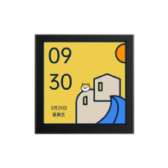
#lumi.switch.acn032
Aqara 妙控开关 S1E
urn:miot-spec-v2:device:switch:0000A003:lumi-acn032:1
Language
Service tree
Left Button#2 · switch3 properties1 actions
Left Button
#2 · switch
Properties
Left Button
#1 · on
- Format
- bool
- Access
- R / W / N
- Value
- —
Default Power On State
#2 · default-power-on-state
- Format
- uint8
- Access
- R / W / N
- Value
- 0Off1Default
Device Fault
#3 · fault
- Format
- uint8
- Access
- R / N
- Value
- 0No Faults1Overheated. Please confirm the power safety and check the device.2Overloaded. Please confirm the power safety and check the device.3Overheated and overloaded. Please check the device.
Actions
Toggle
#1 · toggle
Middle Button#3 · switch1 properties1 actions
Middle Button
#3 · switch
Properties
Middle Button
#1 · on
- Format
- bool
- Access
- R / W / N
- Value
- —
Actions
Toggle
#1 · toggle
Right Button#4 · switch1 properties1 actions
Right Button
#4 · switch
Properties
Right Button
#1 · on
- Format
- bool
- Access
- R / W / N
- Value
- —
Actions
Toggle
#1 · toggle
Screen#7 · screen4 properties
Screen
#7 · screen
Properties
Brightness
#2 · brightness
- Format
- uint8
- Access
- R / W / N
- Value
- 0 ~ 100, step 1 percentage
Auto Screen Off Time
#6 · auto-screen-off-time
- Format
- uint32
- Access
- R / W / N
- Value
- 0 ~ 3600, step 5 seconds
Switch Status
#8 · on
- Format
- bool
- Access
- R / W / N
- Value
- —
Switch Status
#9 · on
- Format
- bool
- Access
- R / W / N
- Value
- —
Speaker#8 · speaker2 properties
Speaker
#8 · speaker
Properties
Mute
#1 · mute
- Format
- bool
- Access
- R / W / N
- Value
- —
Volume
#2 · volume
- Format
- uint8
- Access
- R / W / N
- Value
- 1Low2Middle3High0Non
No Disturb#9 · no-disturb2 properties
No Disturb
#9 · no-disturb
Properties
No Disturb
#1 · no-disturb
- Format
- bool
- Access
- R / W / N
- Value
- —
Enable Time Period
#2 · enable-time-period
- Format
- string
- Access
- R / W / N
- Value
- —
Power Consumption#10 · power-consumption3 properties
Power Consumption
#10 · power-consumption
Properties
Power Consumption
#1 · power-consumption
- Format
- float
- Access
- R / N
- Value
- 0 ~ 730000, step 0.001 kWh
Electric Power
#6 · electric-power
- Format
- float
- Access
- R / N
- Value
- 0 ~ 50000, step 0.001 watt
Power Consumption Accumulation Way
#7 · power-consumption-accumulation-way
- Format
- bool
- Access
- R / N
- Value
- —
Wireless Switch#6 · wireless-switch2 properties1 events
Wireless Switch
#6 · wireless-switch
Properties
Wireless Switch ID
#1 · switch-id
- Format
- uint8
- Access
- Value
- 1 ~ 254, step 1
Wireless Switch Icons
#2 · switch-config
- Format
- string
- Access
- R / N / W
- Value
- —
Events
Wireless Switch Click
#1 · click
Arguments
#1Wireless Switch IDuint8
Screen Settings#11 · theme6 properties3 actions
Screen Settings
#11 · theme
Properties
Add-screen-data
#9 · add-screen-data
- Format
- string
- Access
- Value
- —
Del-screen-data
#10 · del-screen-data
- Format
- string
- Access
- Value
- —
Config-screen-data
#11 · config-screen-data
- Format
- string
- Access
- Value
- —
Screen-sequence
#12 · screen-sequence
- Format
- string
- Access
- R / N / W
- Value
- —
Screen Layout
#13 · screen-layout-info
- Format
- string
- Access
- R / N / W
- Value
- —
theme-version
#14 · theme-version
- Format
- uint32
- Access
- R / N / W
- Value
- 1 ~ 4294967295, step 1
Actions
Add-screen
#1 · add-screen
Input
#9Add-screen-datastring
Del-screen
#2 · del-screen
Input
#10Del-screen-datastring
Config-screen
#3 · config-screen
Input
#11Config-screen-datastring
Safe Code#12 · safety1 properties
Safe Code
#12 · safety
Properties
Safe Code
#2 · password
- Format
- string
- Access
- R / N / W
- Value
- —