
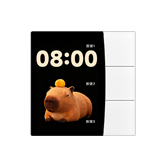
#linp.switch.s5db
领普超薄触屏开关(MESH2.0)
urn:miot-spec-v2:device:switch:0000A003:linp-s5db:1:0000D042
Language
Service tree
Button 1#2 · switch2 properties1 actions
Button 1
#2 · switch
Properties
Switch 1
#1 · on
- Format
- bool
- Access
- R / W / N
- Value
- —
Mode
#2 · mode
- Format
- uint8
- Access
- R / W / N
- Value
- 0Wired And Wireless1Wireless
Actions
Toggle
#1 · toggle
Button 2#3 · switch2 properties1 actions
Button 2
#3 · switch
Properties
Switch 2
#1 · on
- Format
- bool
- Access
- R / W / N
- Value
- —
Mode
#2 · mode
- Format
- uint8
- Access
- R / W / N
- Value
- 0Wired And Wireless1Wireless
Actions
Toggle
#1 · toggle
Button 3#4 · switch2 properties1 actions
Button 3
#4 · switch
Properties
Switch 3
#1 · on
- Format
- bool
- Access
- R / W / N
- Value
- —
Mode
#2 · mode
- Format
- uint8
- Access
- R / W / N
- Value
- 0Wired And Wireless1Wireless
Actions
Toggle
#1 · toggle
Button 1#5 · switch-sensor3 events
Button 1
#5 · switch-sensor
Events
Press
#1 · click
Double Press
#2 · double-click
Press And Hold
#3 · long-press
Button 2#6 · switch-sensor3 events
Button 2
#6 · switch-sensor
Events
Press
#1 · click
Double Press
#2 · double-click
Press And Hold
#3 · long-press
Button 3#7 · switch-sensor3 events
Button 3
#7 · switch-sensor
Events
Press
#1 · click
Double Press
#2 · double-click
Press And Hold
#3 · long-press
Vendor Settings#8 · config7 properties19 actions1 events
Vendor Settings
#8 · config
Properties
Key Mode
#1 · key-mode
- Format
- uint32
- Access
- R / W / N
- Value
- 0 ~ 4294967295, step 1
Local Mutual Control
#2 · local-control
- Format
- uint32
- Access
- R / N
- Value
- 0 ~ 4294967295, step 1
Local Control
#3 · key-param
- Format
- uint32
- Access
- R / N
- Value
- 0 ~ 4294967295, step 1
Key Channel Property
#4 · action-channel
- Format
- uint8
- Access
- Value
- 0Button 11Button 22Button 3
Key Configuration Issued
#5 · key-func
- Format
- uint32
- Access
- Value
- 0 ~ 4294967295, step 1
Key Load Settings
#6 · key-relay-set
- Format
- uint32
- Access
- R / W / N
- Value
- 0 ~ 4294967295, step 1
Learning Status
#7 · study-status
- Format
- uint32
- Access
- Value
- 0 ~ 4294967295, step 1
Actions
Get Intercontrol Id And Number Of Pairs
#1 · get-local-ctrl
Input
#4Key Channel Propertyuint8
Get Into Learning Mode
#2 · enter-study
Input
#4Key Channel Propertyuint8
Clear Wireless Switch
#3 · clear-wireless
Input
#4Key Channel Propertyuint8
Clear Local Mutual Control
#4 · clear-local-ctrl
Input
#4Key Channel Propertyuint8
Get Press
#5 · get-s-key
Input
#4Key Channel Propertyuint8
Get Double Press
#6 · get-d-key
Input
#4Key Channel Propertyuint8
Get Press And Hold
#7 · get-l-key
Input
#4Key Channel Propertyuint8
Private Protocol Configuration For Keys
#8 · set-key
Input
#5Key Configuration Issueduint32
Exit Learning Mode
#9 · exit-study
Input
#4Key Channel Propertyuint8
Reboot
#10 · reboot
Quick Single On
#11 · set-fast-mode-on
Input
#4Key Channel Propertyuint8
Quick Single Off
#12 · set-fast-mode-off
Input
#4Key Channel Propertyuint8
Turn On Always Powered Mode
#13 · set-relay-lock-on
Input
#4Key Channel Propertyuint8
Turn Off Always Powered Mode
#14 · set-relay-lock-off
Input
#4Key Channel Propertyuint8
Power-on Status After Power Off - Memory
#15 · set-poweron-keep
Input
#4Key Channel Propertyuint8
Power-on Status After Power Off - Off
#16 · set-poweron-off
Input
#4Key Channel Propertyuint8
Power-on Status After Power Off - On
#17 · set-poweron-on
Input
#4Key Channel Propertyuint8
Turn On Interlock Mode
#18 · set-inter-lock-on
Turn Off Interlock Mode
#19 · set-inter-lock-off
Events
Learning Status
#1 · study-status
Arguments
#7Learning Statusuint32
Screen Configuration#10 · screen10 properties9 actions
Screen Configuration
#10 · screen
Properties
Switch
#1 · on
- Format
- bool
- Access
- Value
- —
Screen Brightness
#2 · brightness
- Format
- uint8
- Access
- Value
- 1 ~ 100, step 1 percentage
Screen Configuration
#3 · scr-cfg
- Format
- uint32
- Access
- R / W / N
- Value
- 0 ~ 4294967295, step 1
Sleep Mode Configuration
#4 · night-mode
- Format
- uint32
- Access
- R / W / N
- Value
- 0 ~ 4294967295, step 1
Saver Type
#5 · scr-saver-type
- Format
- uint8
- Access
- Value
- 0Default1Simple2Number3Clock4Black
Screen Saver Duration
#6 · scr-saver-time
- Format
- uint8
- Access
- Value
- 01 Minute15 Minutes210 Minutes315 Minutes430 Minutes51 Hour62 Hours74 Hours
Time Format
#7 · time-fmt
- Format
- uint8
- Access
- Value
- 024-hour System112-hour System
Theme ID
#8 · theme-id
- Format
- uint8
- Access
- Value
- 0 ~ 255, step 1
Page ID
#9 · page-id
- Format
- uint8
- Access
- Value
- 0Home Page1Page 12Page 23Page 34Page 45Page 56Page 67Page 78Page 89Page 910Page 1011Page 1112Last Operation Page15Last Page16Next Page14Screen Saver
Text ID
#10 · text-id
- Format
- uint8
- Access
- Value
- 1Text 12Text 23Text 34Text 45Text 56Text 67Text 78Text 89Text 910Text 10
Actions
Enter Page
#1 · page-enter
Input
#9Page IDuint8
Set Screen Switch
#2 · set-scr-on
Input
#1Switchbool
Set Screen Brightness
#3 · set-scr-brightness
Input
#2Screen Brightnessuint8
Set Screen Saver Type
#4 · set-scr-saver-type
Input
#5Saver Typeuint8
Set Screen Saver Duration
#5 · set-scr-saver-time
Input
#6Screen Saver Durationuint8
Set Sleep Mode Switch
#6 · set-night-mode-on
Input
#1Switchbool
Set Time Format
#7 · set-time-fmt
Input
#7Time Formatuint8
Set Theme
#8 · set-theme-id
Input
#8Theme IDuint8
Set Text Message
#9 · set-text-id
Input
#10Text IDuint8
Proximity Sensor#9 · proximity6 properties8 actions1 events
Proximity Sensor
#9 · proximity
Properties
Approach & Leave Parameters
#1 · occupy
- Format
- uint8
- Access
- Value
- 0Leave1Approach
Proximity Sensing Switch
#2 · prox-on
- Format
- uint8
- Access
- Value
- 0Off1On
Proximity Sensing Configuratio
#4 · prox-cfg
- Format
- uint32
- Access
- R / W / N
- Value
- 0 ~ 4294967295, step 1
Short-range Sensitivity
#5 · near-sensitivity
- Format
- uint8
- Access
- Value
- 10 ~ 100, step 1
Long-range Sensitivity
#6 · far-sensitivity
- Format
- uint8
- Access
- Value
- 20 ~ 110, step 1
Close-range Screen Lighting Interface
#7 · near-page-id
- Format
- uint8
- Access
- Value
- 0Home Page1Page 12Page 23Page 34Page 45Page 56Page 67Page 78Page 89Page 910Page 1011Page 1112Last Operation Page13None
Actions
Set Proximity Sensor Switch
#1 · set-prox-on
Input
#2Proximity Sensing Switchuint8
Set Short-range Switch
#2 · set-near-on
Input
#2Proximity Sensing Switchuint8
Set Long-range Switch
#3 · set-far-on
Input
#2Proximity Sensing Switchuint8
Set Short-range Sensitivity
#4 · set-near-sensitivity
Input
#5Short-range Sensitivityuint8
Set Long-range Sensitivity
#5 · set-far-sensitivity
Input
#6Long-range Sensitivityuint8
Set Close-range Screen Lighting Interface
#6 · set-near-page-id
Input
#7Close-range Screen Lighting Interfaceuint8
Turn On Short-range Automatic Adjustment
#8 · set-near-auto-debug
Turn Off Short-range Automatic Adjustment
#9 · set-far-auto-debug
Events
Approach & Leave
#1 · occupy
Arguments
#1Approach & Leave Parametersuint8
Screen Content#11 · screen-set4 properties
Screen Content
#11 · screen-set
Properties
Page Configuration
#1 · page
- Format
- string
- Access
- Value
- —
Theme
#2 · theme
- Format
- string
- Access
- Value
- —
Text
#3 · text
- Format
- string
- Access
- Value
- —
Key Name
#4 · switch-name
- Format
- string
- Access
- Value
- —
Wireless Switch#12 · wireless-switch1 properties1 events
Wireless Switch
#12 · wireless-switch
Properties
Wireless Switch ID
#1 · wireless-switch-id
- Format
- uint8
- Access
- Value
- 1 ~ 32, step 1
Events
Click Wireless Switch
#1 · switch-click
Arguments
#1Wireless Switch IDuint8
Virtual Switch#13 · virtual-switch5 properties3 actions2 events
Virtual Switch
#13 · virtual-switch
Properties
Virtual Switch ID
#1 · virtual-switch-id
- Format
- uint8
- Access
- Value
- 1 ~ 32, step 1
Virtual Switch 29
#2 · von-a
- Format
- uint8
- Access
- R / W / N
- Value
- 0Off1On
Virtual Switch 30
#3 · von-b
- Format
- uint8
- Access
- R / W / N
- Value
- 0Off1On
Virtual Switch 31
#4 · von-c
- Format
- uint8
- Access
- R / W / N
- Value
- 0Off1On
Virtual Switch 32
#5 · von-d
- Format
- uint8
- Access
- R / W / N
- Value
- 0Off1On
Actions
Open Virtual Switch
#1 · on
Input
#1Virtual Switch IDuint8
Close Virtual Switch
#2 · off
Input
#1Virtual Switch IDuint8
Toggle Virtual Switch
#3 · toggle
Input
#1Virtual Switch IDuint8
Events
Open Virtual Switch
#1 · on-click
Arguments
#1Virtual Switch IDuint8
Close Virtual Switch
#2 · off-click
Arguments
#1Virtual Switch IDuint8