
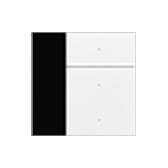
#linp.switch.h3dbw3
领普智能彩屏开关(三键)
urn:miot-spec-v2:device:switch:0000A003:linp-h3dbw3:1:0000D042
Language
Service tree
Button 1#2 · switch2 properties1 actions
Button 1
#2 · switch
Properties
Button 1
#1 · on
- Format
- bool
- Access
- R / W / N
- Value
- —
Mode
#2 · mode
- Format
- uint8
- Access
- R / N / W
- Value
- 0Wired And Wireless1Wireless
Actions
Toggle
#1 · toggle
Key 2#3 · switch2 properties1 actions
Key 2
#3 · switch
Properties
Button 2
#1 · on
- Format
- bool
- Access
- R / W / N
- Value
- —
Mode
#2 · mode
- Format
- uint8
- Access
- R / N / W
- Value
- 0Wired And Wireless1Wireless
Actions
Toggle
#1 · toggle
Button 3#4 · switch2 properties1 actions
Button 3
#4 · switch
Properties
Button 3
#1 · on
- Format
- bool
- Access
- R / W / N
- Value
- —
Mode
#2 · mode
- Format
- uint8
- Access
- R / N / W
- Value
- 0Wired And Wireless1Wireless
Actions
Toggle
#1 · toggle
Button 1#5 · switch-sensor3 events
Button 1
#5 · switch-sensor
Events
Press
#1 · click
Double Press
#2 · double-click
Press And Hold
#3 · long-press
Button 2#6 · switch-sensor3 events
Button 2
#6 · switch-sensor
Events
Press
#1 · click
Double Press
#2 · double-click
Press And Hold
#3 · long-press
Button 3#7 · switch-sensor3 events
Button 3
#7 · switch-sensor
Events
Press
#1 · click
Double Press
#2 · double-click
Press And Hold
#3 · long-press
Config#10 · config23 properties35 actions2 events
Config
#10 · config
Properties
Key Mode
#1 · key-mode
- Format
- uint32
- Access
- R / W / N
- Value
- 0 ~ 4294967295, step 1
Screen Brightness
#2 · brightnessw
- Format
- uint8
- Access
- R / W / N
- Value
- 20Energy40Soft70Brillancy100Brightest
Icons And Backgrounds
#3 · icon-background
- Format
- uint32
- Access
- R / W / N
- Value
- 0 ~ 4294967295, step 1
Local Mutual Control
#4 · local-control
- Format
- uint32
- Access
- R / N
- Value
- 0 ~ 4294967295, step 1
Key Channel Property
#5 · action-channel
- Format
- uint8
- Access
- Value
- 0Button 11Button 22Button 3
Key Load Settings
#6 · key-relay-set
- Format
- uint32
- Access
- R / W / N
- Value
- 0 ~ 4294967295, step 1
Screen Infrared Configuration
#7 · screen-ir-config
- Format
- uint32
- Access
- R / W / N
- Value
- 0 ~ 4294967295, step 1
Key Name
#8 · switch-name
- Format
- string
- Access
- Value
- —
Sleep Mode
#9 · night-mode
- Format
- uint32
- Access
- R / W / N
- Value
- 0 ~ 4294967295, step 1
Approach & Departure Parameters
#10 · occupy
- Format
- uint8
- Access
- Value
- 0Far1Near
Interlock Mode Parameters
#11 · interlock
- Format
- bool
- Access
- Value
- —
Screensaver Time Parameters
#12 · screen-saver-time
- Format
- uint8
- Access
- Value
- 05 Seconds130 Seconds21 Minute35 Minutes410 Minutes530 Minutes61 Hour74 Hours
Screen Saver Display Content Parameters
#13 · screen-saver-show
- Format
- uint8
- Access
- Value
- 0Weather1Time2Date3Text-14Text-25Text-3
Low Gear Distance Parameters
#14 · sensitivity-near
- Format
- uint8
- Access
- Value
- 10 ~ 115, step 1
Remote distance Parameters
#15 · sensitivity-far
- Format
- uint8
- Access
- Value
- 20 ~ 125, step 1
Learning Status Parameters
#16 · study-status
- Format
- uint32
- Access
- Value
- 0 ~ 4294967295, step 1
Custom Text
#17 · saver-text
- Format
- string
- Access
- Value
- —
Power-on Status Parameters
#18 · power-on-state
- Format
- uint8
- Access
- Value
- 0Off1Memory2On
Proximity Sensor Switch Parameters
#19 · sensitivity-status
- Format
- uint8
- Access
- Value
- 0All Off1Only Show Button Names When Induction2Only Show Screen Saver When Induction3All On
Background Image Parameters
#20 · background-set
- Format
- uint8
- Access
- Value
- 0No wallpaper1Wallpaper 13Wallpaper 25Wallpaper 34Wallpaper 49Wallpaper 58Wallpaper 610Wallpaper 7
Screen Saver Configuration
#22 · saver-config
- Format
- uint32
- Access
- R / W / N
- Value
- 0 ~ 4294967295, step 1
Infrared Sensitivity Parameters
#23 · ir-sensitivity-value
- Format
- uint8
- Access
- Value
- 0112233445
Color Parameters
#24 · color
- Format
- uint8
- Access
- Value
- 0White1Elegant Blue2Warm Orange3Showy Purple
Actions
Get Intercontrol Id And Number Of Pairs
#1 · get-local-ctrl
Input
#5Key Channel Propertyuint8
Get Into Learning Mode
#2 · enter-study
Input
#5Key Channel Propertyuint8
Clear The Wireless Switch
#3 · clear-wireless
Input
#5Key Channel Propertyuint8
Clear Local Mutual Control
#4 · clear-local-ctrl
Input
#5Key Channel Propertyuint8
Switch To The Wireless Rear Channel Indicator On
#5 · set-icon-on
Input
#5Key Channel Propertyuint8
Switch To The Wireless Rear Channel Indicator Off
#6 · set-icon-off
Input
#5Key Channel Propertyuint8
Sleep Mode Off
#7 · set-night-mode-off
Sleep Mode On
#8 · set-night-mode-on
Exit-Study
#9 · exit-study
Input
#5Key Channel Propertyuint8
Quick Single On
#10 · fast-mode-on
Input
#5Key Channel Propertyuint8
Quick Single Off
#11 · fast-mode-off
Input
#5Key Channel Propertyuint8
Turn On Always Powered Mode
#12 · remain-poweron-on
Input
#5Key Channel Propertyuint8
Turn Off Always Powered Mode
#13 · remain-poweron-off
Input
#5Key Channel Propertyuint8
Screen Continuous Wake Time
#14 · screen-saver-time
Input
#12Screensaver Time Parametersuint8
Interlock Mode
#15 · interlock-mode
Input
#11Interlock Mode Parametersbool
Screen Saver Content Of Screen 1
#16 · screen-a-far-show
Input
#13Screen Saver Display Content Parametersuint8
Screen Saver Content Of Screen 2
#17 · screen-b-far-show
Input
#13Screen Saver Display Content Parametersuint8
Screen Saver Content Of Screen 3
#18 · screen-c-far-show
Input
#13Screen Saver Display Content Parametersuint8
Proximity Sensor Switch Settings
#19 · approaching-setting
Input
#19Proximity Sensor Switch Parametersuint8
The Distance Of The Sensor Display Key Name
#20 · sensiticity-key-name
Input
#14Low Gear Distance Parametersuint8
The Distance Of The Sensing Display Screen Saver
#21 · sensiticity-saver
Input
#15Remote distance Parametersuint8
Auto-calibrate Key Name Detection Distance
#22 · auto-check-near
Auto-calibrate Screensaver Detection Distance
#23 · auto-check-far
Display Key Name
#24 · show-switch-name
Display Screen Saver
#25 · show-saver
Screen Off
#26 · show-off
Set The background Image Of Screen 1
#27 · set-background-a
Input
#20Background Image Parametersuint8
Set The background Image Of Screen 2
#28 · set-background-b
Input
#20Background Image Parametersuint8
Set The background Image Of Screen 3
#29 · set-background-c
Input
#20Background Image Parametersuint8
Set The Power-on Status Of Key 1
#30 · set-power-on-state-a
Input
#18Power-on Status Parametersuint8
Set The Power-on Status Of Key 2
#31 · set-power-on-state-b
Input
#18Power-on Status Parametersuint8
Set The Power-on Status Of Key 3
#32 · set-power-on-state-c
Input
#18Power-on Status Parametersuint8
Set The Infrared Sensitivity
#33 · set-ir-sensitivity
Input
#23Infrared Sensitivity Parametersuint8
Set The Color Of The Key Names
#34 · set-switchname-color
Input
#24Color Parametersuint8
Set The Font Color Of The Screen Saver
#35 · set-saver-color
Input
#24Color Parametersuint8
Events
Approach & Departure
#1 · occupy
Arguments
#10Approach & Departure Parametersuint8
Learning Status
#2 · study-status
Arguments
#16Learning Status Parametersuint32
Custom Attributes#11 · vendor2 properties
Custom Attributes
#11 · vendor
Properties
Data
#1 · f-data
- Format
- string
- Access
- Value
- —
Version
#2 · f-version
- Format
- uint32
- Access
- Value
- 0 ~ 4294967295, step 1