
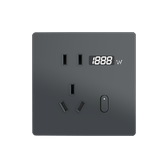
#iwn.plug.iws007
IWN小铃铛智能计量插座
urn:miot-spec-v2:device:outlet:0000A002:iwn-iws007:1:0000D032
Language
Service tree
Switch#2 · switch3 properties1 actions
Switch
#2 · switch
Properties
Switch Status
#1 · on
- Format
- bool
- Access
- R / W / N
- Value
- —
Default Power On State
#2 · default-power-on-state
- Format
- uint8
- Access
- R / W / N
- Value
- 0Default1Off2On
Mode
#4 · mode
- Format
- uint8
- Access
- R / W / N
- Value
- 0Wired And Wireless1Wireless
Actions
Toggle
#1 · toggle
Power Consumption#3 · power-consumption3 properties
Power Consumption
#3 · power-consumption
Properties
Power Consumption
#1 · power-consumption
- Format
- float
- Access
- R / N
- Value
- 0 ~ 65535, step 0.01 kWh
Electric Power
#2 · electric-power
- Format
- uint16
- Access
- R / N
- Value
- 0 ~ 10000, step 1 watt
Power Consumption Accumulate Way
#3 · power-consumption-accumulation-way
- Format
- bool
- Access
- R / N
- Value
- —
Physical Controls Locked#5 · physical-controls-locked1 properties
Physical Controls Locked
#5 · physical-controls-locked
Properties
Physical Controls Locked
#1 · physical-controls-locked
- Format
- bool
- Access
- R / W / N
- Value
- —
Delay#6 · delay3 properties
Delay
#6 · delay
Properties
Delay
#1 · delay
- Format
- bool
- Access
- R / W / N
- Value
- —
Delay Time
#2 · delay-time
- Format
- uint32
- Access
- R / W / N
- Value
- 0 ~ 86400, step 1 seconds
delay remain time
#3 · delay-remain-time
- Format
- uint32
- Access
- R / W / N
- Value
- 0 ~ 86400, step 1 seconds
Backlight Mode#7 · backlight-mode1 properties
Backlight Mode
#7 · backlight-mode
Properties
Button 1 Backlight Mode
#1 · backlight-mode
- Format
- uint8
- Access
- R / W / N
- Value
- 0Off1On2Blink
Button Remote Control#8 · panel13 properties1 actions2 events
Button Remote Control
#8 · panel
Properties
Button Enter Remote Control Binding Mode
#1 · panel-add-enable
- Format
- bool
- Access
- R / W / N
- Value
- —
1
#2 · panel-mac-a
- Format
- uint32
- Access
- R / W / N
- Value
- 0 ~ 4294967295, step 1
2
#3 · panel-mac-b
- Format
- uint32
- Access
- R / W / N
- Value
- 0 ~ 4294967295, step 1
3
#4 · panel-mac-c
- Format
- uint32
- Access
- R / W / N
- Value
- 0 ~ 4294967295, step 1
4
#5 · panel-mac-d
- Format
- uint32
- Access
- R / W / N
- Value
- 0 ~ 4294967295, step 1
5
#6 · panel-mac-e
- Format
- uint32
- Access
- R / W / N
- Value
- 0 ~ 4294967295, step 1
6
#7 · panel-mac-f
- Format
- uint32
- Access
- R / W / N
- Value
- 0 ~ 4294967295, step 1
7
#8 · panel-mac-g
- Format
- uint32
- Access
- R / W / N
- Value
- 0 ~ 4294967295, step 1
8
#9 · panel-mac-h
- Format
- uint32
- Access
- R / W / N
- Value
- 0 ~ 4294967295, step 1
9
#10 · panel-mac-i
- Format
- uint32
- Access
- R / W / N
- Value
- 0 ~ 4294967295, step 1
10
#11 · panel-mac-j
- Format
- uint32
- Access
- R / W / N
- Value
- 0 ~ 4294967295, step 1
11
#12 · panel-mac-k
- Format
- uint32
- Access
- R / W / N
- Value
- 0 ~ 4294967295, step 1
Local Pairing Switch
#13 · wireless-pairing
- Format
- bool
- Access
- R / W / N
- Value
- —
Actions
One-Key Clear Binding
#1 · clear
Events
Button Single Press
#1 · click
Button Double Press
#2 · duble-click
Power Protection Settings#10 · power-protection1 properties
Power Protection Settings
#10 · power-protection
Properties
Power Protection Value Settings
#1 · power-protection
- Format
- uint16
- Access
- R / W / N
- Value
- 50 ~ 2500, step 50
Power Display Backlight Switch#11 · led-backlight1 properties
Power Display Backlight Switch
#11 · led-backlight
Properties
Power Display Backlight Switch
#1 · led-on-off
- Format
- bool
- Access
- R / W / N
- Value
- —
More Information#12 · info1 properties
More Information
#12 · info
Properties
Activation Time
#1 · activation-time
- Format
- uint32
- Access
- R / N
- Value
- 0 ~ 4294967295, step 1