
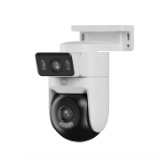
#isa.camera.500dh
Xiaomi Outdoor Camera CW500 Dual
urn:miot-spec-v2:device:camera:0000A01C:isa-500dh:1
Language
Service tree
Camera Control#2 · camera-control10 properties4 actions
Camera Control
#2 · camera-control
Properties
Switch Status
#1 · on
- Format
- bool
- Access
- R / W / N
- Value
- —
Image Rollover
#2 · image-rollover
- Format
- uint16
- Access
- R / W / N
- Value
- 0 ~ 270, step 90 arcdegrees
Night Shot
#3 · night-shot
- Format
- uint8
- Access
- R / W / N
- Value
- 0Off1On2Auto3Auto Full Color4On Full Color5Auto Smart Full Color
Time Watermark
#4 · time-watermark
- Format
- bool
- Access
- R / W / N
- Value
- —
Recording Mode
#7 · recording-mode
- Format
- uint8
- Access
- R / W / N
- Value
- 0Continue Record1Dynamic Record2Stop Record
Motion Tracking
#8 · motion-tracking
- Format
- bool
- Access
- R / W / N
- Value
- —
High Dynamic Range Mode
#9 · hdr-mode
- Format
- bool
- Access
- R / W / N
- Value
- —
Human Tracking
#10 · human-tracking
- Format
- bool
- Access
- R / W / N
- Value
- —
Ai Frame
#11 · ai-frame
- Format
- bool
- Access
- R / W / N
- Value
- —
Image Distortion Correction
#12 · image-distortion-correction
- Format
- bool
- Access
- R / W / N
- Value
- —
Actions
PTZ Calibrate
#1 · ptz-calibrate
Restart Device
#2 · restart-device
PTZ Calibrate
#3 · ptz-calibrate
PTZ Calibrate
#4 · ptz-calibrate
Indicator Light#3 · indicator-light1 properties
Indicator Light
#3 · indicator-light
Properties
Switch Status
#1 · on
- Format
- bool
- Access
- R / W / N
- Value
- —
Memory Card Management#4 · memory-card-management4 properties2 actions
Memory Card Management
#4 · memory-card-management
Properties
Status
#1 · status
- Format
- uint8
- Access
- R / N
- Value
- 0Normal1SD-No-Insert2SD-No-Space3SD-No-Work4SD-Format5SD-Out6SD-Uninitalized7SD-Not-Enough-Space8SD-Not-Compatible9SD-File-Errot
Storage Total Space
#2 · storage-total-space
- Format
- uint32
- Access
- R / N
- Value
- 0 ~ 2147483648, step 1
Storage Free Space
#3 · storage-free-space
- Format
- uint32
- Access
- R / N
- Value
- 0 ~ 2147483648, step 1
Storage Used Space
#4 · storage-used-space
- Format
- uint32
- Access
- R / N
- Value
- 0 ~ 2147483648, step 1
Actions
Format
#1 · format
Pop Up
#2 · pop-up
Motion Detection#5 · motion-detection5 properties
Motion Detection
#5 · motion-detection
Properties
Motion Detection
#1 · motion-detection
- Format
- bool
- Access
- R / W / N
- Value
- —
Alarm Interval
#2 · alarm-interval
- Format
- uint8
- Access
- R / W / N
- Value
- 1 ~ 30, step 1 minutes
Detection Sensitivity
#3 · detection-sensitivity
- Format
- uint8
- Access
- R / W / N
- Value
- 1Low2Middle3High
Motion Detection Start Time
#4 · motion-detection-start-time
- Format
- string
- Access
- R / W / N
- Value
- —
Motion Detection End Time
#5 · motion-detection-end-time
- Format
- string
- Access
- R / W / N
- Value
- —
PP Stream#7 · p2p-stream1 properties2 actions
PP Stream
#7 · p2p-stream
Properties
Talk Mode
#1 · talk-mode
- Format
- uint8
- Access
- R / N
- Value
- 0Two-way1One-way
Actions
Start P2P Stream
#1 · start-p2p-stream
Stop Camera Stream
#2 · stop-stream
Camera Fav Area#9 · camera-fav-area2 properties
Camera Fav Area
#9 · camera-fav-area
Properties
Fav Area
#1 · fav-area
- Format
- string
- Access
- R / W / N
- Value
- —
Active Fav Area
#2 · active-fav-area
- Format
- uint8
- Access
- R / W / N
- Value
- 0 ~ 64, step 1
Cruise#10 · cruise1 properties
Cruise
#10 · cruise
Properties
Cruise Position
#7 · cruise-position
- Format
- string
- Access
- R / W / N
- Value
- —
Ai Detection#13 · ai-detection6 properties
Ai Detection
#13 · ai-detection
Properties
Detection Area
#1 · detection-area
- Format
- string
- Access
- R / W / N
- Value
- —
Detection Area Active
#2 · detection-area-active
- Format
- uint8
- Access
- W / N
- Value
- 0 ~ 64, step 1
Detection Area Osd Switch
#3 · detection-area-osd-switch
- Format
- bool
- Access
- R / N / W
- Value
- —
Human Detection
#4 · human-detection
- Format
- bool
- Access
- R / W / N
- Value
- —
Move Detection
#5 · move-detection
- Format
- bool
- Access
- R / W / N
- Value
- —
Detection Area Osd Switch
#6 · detection-area-osd-switch
- Format
- bool
- Access
- R / N / W
- Value
- —
Ai Detection#14 · ai-detection6 properties
Ai Detection
#14 · ai-detection
Properties
Detection Area
#1 · detection-area
- Format
- string
- Access
- R / W / N
- Value
- —
Detection Area Active
#2 · detection-area-active
- Format
- uint8
- Access
- W / N
- Value
- 0 ~ 64, step 1
Detection Area Osd Switch
#3 · detection-area-osd-switch
- Format
- bool
- Access
- R / N / W
- Value
- —
Human Detection
#4 · human-detection
- Format
- bool
- Access
- R / W / N
- Value
- —
Move Detection
#5 · move-detection
- Format
- bool
- Access
- R / W / N
- Value
- —
Detection Area Osd Switch
#6 · detection-area-osd-switch
- Format
- bool
- Access
- R / N / W
- Value
- —
Camera Stream Management For Amazon Alexa#15 · camera-stream-for-amazon-alexa13 properties3 actions
Camera Stream Management For Amazon Alexa
#15 · camera-stream-for-amazon-alexa
Properties
Video Codec Type
#1 · video-codec-type
- Format
- uint8
- Access
- Value
- 1H2642MPEG3MPEG24MP4
Video Attribute
#2 · video-attribute
- Format
- uint8
- Access
- Value
- 11920_1080_3021280_720_3031024_768_30
Audio Codec Type
#3 · audio-codec-type
- Format
- uint8
- Access
- Value
- 1PCMU2PCMA3OPUS4MSBC5AMR
Audio Attribute
#4 · audio-attribute
- Format
- uint8
- Access
- Value
- 0Default144100_2_16_VARIABLE28000_1_8_CONSTANT
Authorization Type
#5 · authorization-type
- Format
- uint8
- Access
- Value
- 0None1Basic2Digest
Stream URL
#6 · stream-address
- Format
- string
- Access
- Value
- —
Image Snapshot URL
#7 · image-snapshot
- Format
- string
- Access
- Value
- —
Expiration Time
#8 · expiration-time
- Format
- uint32
- Access
- Value
- 0 ~ 3600, step 3600 seconds
Stream Status
#9 · stream-status
- Format
- uint8
- Access
- R / N
- Value
- 1Available2In use3Unavailable
Session Id
#10 · session-id
- Format
- string
- Access
- Value
- —
Webrtc Offer
#11 · webrtc-offer
- Format
- string
- Access
- Value
- —
Param Sleep Status
#12 · param-sleep-status
- Format
- bool
- Access
- Value
- —
Camera Index
#13 · camera-index
- Format
- uint8
- Access
- Value
- 0 ~ 10, step 1
Actions
Get Stream Configuration of Camera
#1 · get-stream-configuration
Output
#9Stream Statusuint8#1Video Codec Typeuint8#2Video Attributeuint8#3Audio Codec Typeuint8#4Audio Attributeuint8
Start Camera Stream for Alexa
#2 · start-rtsp-stream
Input
#2Video Attributeuint8#13Camera Indexuint8
Output
#6Stream URLstring#7Image Snapshot URLstring#8Expiration Timeuint32
Stop Camera Stream
#3 · stop-stream
Camera Stream Management For Google Home#16 · camera-stream-for-google-home11 properties3 actions
Camera Stream Management For Google Home
#16 · camera-stream-for-google-home
Properties
Video Codec Type
#1 · video-codec-type
- Format
- uint8
- Access
- Value
- 1H2642MPEG3MPEG24MP4
Video Attribute
#2 · video-attribute
- Format
- uint8
- Access
- Value
- 11920_1080_3021280_720_3031024_768_30
Audio Codec Type
#3 · audio-codec-type
- Format
- uint8
- Access
- Value
- 1PCMU2PCMA3OPUS4MSBC5AMR
Audio Attribute
#4 · audio-attribute
- Format
- uint8
- Access
- Value
- 0Default144100_2_16_VARIABLE28000_1_8_CONSTANT
Stream URL
#5 · stream-address
- Format
- string
- Access
- Value
- —
Stream Receiver id
#6 · stream-receiver-id
- Format
- string
- Access
- Value
- —
Stream Auth Token
#7 · stream-auth-token
- Format
- string
- Access
- Value
- —
Expiration Time
#8 · expiration-time
- Format
- uint32
- Access
- Value
- 0 ~ 3600, step 3600 seconds
Stream Status
#9 · stream-status
- Format
- uint8
- Access
- R / N
- Value
- 1Available2In use3Unavailable
Param Sleep Status
#10 · param-sleep-status
- Format
- bool
- Access
- Value
- —
Camera Index
#11 · camera-index
- Format
- uint8
- Access
- Value
- 0 ~ 10, step 1
Actions
Get Stream Configuration of Camera
#1 · get-stream-configuration
Output
#9Stream Statusuint8#1Video Codec Typeuint8#2Video Attributeuint8#3Audio Codec Typeuint8#4Audio Attributeuint8
Start Camera Stream for Google
#3 · start-hls-stream
Input
#2Video Attributeuint8#11Camera Indexuint8
Output
#5Stream URLstring
Stop Camera Stream
#4 · stop-stream
Region Privacy#17 · region-privacy3 properties
Region Privacy
#17 · region-privacy
Properties
Region Privacy Switch
#1 · region-privacy-switch
- Format
- bool
- Access
- R / W / N
- Value
- —
Region Privacy Hide
#2 · region-privacy-hide
- Format
- bool
- Access
- R / W / N
- Value
- —
Region Privacy Area
#3 · region-privacy-area
- Format
- string
- Access
- R / W / N
- Value
- —
Region Privacy#18 · region-privacy3 properties
Region Privacy
#18 · region-privacy
Properties
Region Privacy Switch
#1 · region-privacy-switch
- Format
- bool
- Access
- R / W / N
- Value
- —
Region Privacy Hide
#2 · region-privacy-hide
- Format
- bool
- Access
- R / W / N
- Value
- —
Region Privacy Area
#3 · region-privacy-area
- Format
- string
- Access
- R / W / N
- Value
- —
Camera Control#19 · camera-control1 properties
Camera Control
#19 · camera-control
Properties
Switch Status
#1 · on
- Format
- bool
- Access
- R / W / N
- Value
- —
Camera Control#20 · camera-control1 properties
Camera Control
#20 · camera-control
Properties
Switch Status
#1 · on
- Format
- bool
- Access
- R / W / N
- Value
- —
Other non-standard features#6 · other-functions23 properties3 actions19 events
Other non-standard features
#6 · other-functions
Properties
Set the device time zone information
#2 · hl-set-timezone
- Format
- int32
- Access
- R / W / N
- Value
- -12 ~ 12, step 1
Frame switch setting
#3 · hl-set-rect
- Format
- bool
- Access
- R / N / W
- Value
- —
Get the personalized voice information saved by the device
#4 · hl-get-custom-voice
- Format
- string
- Access
- R / N
- Value
- —
Set the personalized language information to be broadcasted on the device
#5 · hl-set-custom-voice
- Format
- string
- Access
- W
- Value
- —
Start downloading personalized voice (parameter is personalized voice id)
#6 · hl-download-voice
- Format
- string
- Access
- W
- Value
- —
Delete the specified personalized voice
#7 · hl-delete-voice
- Format
- string
- Access
- W
- Value
- —
Personalized voice switch configuration
#8 · hl-voice-switch
- Format
- bool
- Access
- R / N / W
- Value
- —
Has the maximum number of connections been reached?
#9 · hl-get-max-connect
- Format
- bool
- Access
- R / N
- Value
- —
Sound and light alarm switch
#10 · hl-audible-alarm
- Format
- bool
- Access
- R / N / W
- Value
- —
Fill light brightness setting
#11 · hl-filllight-lum
- Format
- uint8
- Access
- R / N / W
- Value
- 0 ~ 100, step 1
Get the current gimbal position
#12 · hl-get-location
- Format
- string
- Access
- R / N
- Value
- —
Gimbal position reset
#13 · hl-motor-reset
- Format
- bool
- Access
- W
- Value
- —
Customize voice parameter configuration
#14 · hl-voice-config
- Format
- string
- Access
- R / N / W
- Value
- —
Fill light switch
#16 · hl-filllight-switch
- Format
- bool
- Access
- R / N / W
- Value
- —
Camera night vision status
#17 · hl-nightvision-state
- Format
- bool
- Access
- R / N
- Value
- —
Custom fill light status
#18 · hl-filllight-model
- Format
- uint8
- Access
- R / N / W
- Value
- 0 ~ 128, step 1
PTZ calibration report
#19 · hl-motor-report
- Format
- bool
- Access
- W / N
- Value
- —
Sound and light alarm events
#20 · hl-light-alarm-event
- Format
- string
- Access
- R / N / W
- Value
- —
Independent sleep control for gun-ball integrated machine
#21 · hl-camera-switch
- Format
- uint8
- Access
- R / N / W
- Value
- 0All-off1Box-on-dome-off2Box-off-dome-on3All-on
Get the remaining space for time-lapse photography (KB)
#22 · get-timelapse-space
- Format
- int64
- Access
- R / N
- Value
- 0 ~ 268435456, step 1
Dome camera independent sleep
#25 · dome-switch
- Format
- bool
- Access
- R / N / W
- Value
- —
Independent dormancy of the bolt
#26 · box-switch
- Format
- bool
- Access
- R / N / W
- Value
- —
Gun-ball linkage switch
#27 · box-dome-linkage
- Format
- int8
- Access
- R / N / W
- Value
- -1Linkage-close-def0Linkage-close1Linkage-open
Actions
Record and upload to the cloud (event)
#2 · hl-upload-recode
Immediately broadcast personalized voice (intelligent scene linkage)
#3 · hl-speaker-voice
Linkage calibration
#4 · linkage-calibrate
Events
Screen Changes-Ball Camera
#1 · event-motion-dome
Screen Changes-Gun Machine
#2 · event-motion-box
Someone is moving-ball machine
#3 · people-motion-dome
Someone moves - Gun
#4 · people-motion-box
Car-ball camera detected
#5 · detected-car-dome
Car-gun detected
#6 · detected-car-box
People approaching the car-ball machine
#7 · people-near-car-dome
People approaching the car - gun
#8 · people-near-car-box
Turn on night mode-ball camera
#9 · ir-on-dome
Turn on night mode-gun camera
#10 · ir-on-box
Turn off night mode - ball camera
#11 · ir-off-dome
Turn off night mode - Gun Camera
#12 · ir-off-box
When the sound and light alarm is executed
#13 · sound-light-alarm
People enter the fence-ball machine
#14 · people-in-fence-dome
Man enters fence - gun
#15 · people-in-fence-box
People out of the fence-ball machine
#16 · people-out-fence-dom
Person out of fence - gun
#17 · people-out-fence-box
Time-lapse photography completed - ball camera
#18 · timelapse-finish-dom
Time-lapse photography completed - bolt camera
#19 · timelapse-finish-box