
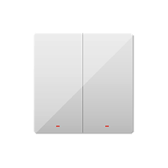
Yeelight#9928
Yeelight智能开关 C1(双键)
yeelink.switch.szsw2
平头熊提测
BLE Mesh
Recommendation score
0%
Reviews
6
Recommendations
0
Activations
5902
Basic information
- Product ID
- 9928
- Manufacturer
- Yeelight
- Category
- Socket & Switch
- Release month
- 2022-06
- Status
- Release
- Protocol
- BLE Mesh
- Model
- yeelink.switch.szsw2
- Gateway required
- Required
XiaoAI voice control
开关
- 打开开关左键
- 关闭开关左键
开关
- 打开开关右键
- 关闭开关右键
Smart scenes
Triggers
左键单击
右键单击
左键关闭
左键打开
右键关闭
右键打开
Actions
翻转左键
翻转右键
关闭左键
打开左键
关闭右键
打开右键
FAQ
Yeelight智能开关 C1(双键)使用说明
1: 按产品说明书安装好后,接通电源并且带有负载,同时确保MESH网关已经上线,并在附近。 2: 先短按开关复位键3次,接着第4次保持按键长按,直到所有开关指示灯闪烁,则进入配网模式。(注: 如果长按后按键LED不闪烁,松开按键后,等待3秒以上时间再重复上述操作)。 3: 在手机APP上点击“添加设备”,选择“附近设备”或者“手动添加”,点击下一步等待连接设备,直到添加设备完毕。如产品联网失败可按说明书 4: 开关联网成功后,就可以APP控制开关,并且语音控制。 5: 开关定时功能,每个按键可以单独设置定时,有三个方式可供选择。 6: 转无线开关功能,可以将此按键变为全新的无线开关,通过创建自动化场景来实现控制其他智能设备。
Product encyclopedia滚动到此加载
User manual滚动到此加载