
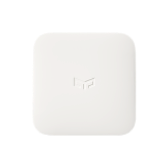
Yeelight#1983
Yeelight 无线开关S1
yeelink.remote.remote
Yeelight 无线开关S1
Bluetooth
Recommendation score
35%
Reviews
60
Recommendations
21
Activations
10733
Basic information
- Product ID
- 1983
- Manufacturer
- Yeelight
- Category
- Socket & Switch
- Release month
- 2020-08
- Status
- Release
- Protocol
- Bluetooth
- Model
- yeelink.remote.remote
- Gateway required
- Required
Smart scenes
Triggers
单击
双击
长按
FAQ
Yeelight 无线开关S1续航时间大概多少?
按照每天点击20次计算,可续航3年。
Yeelight 无线开关S1如何重置?
使用纤细物长按背面配网按键5秒,直到指示灯开始闪烁。
Yeelight 无线开关S1升级固件时需要注意什么?
在APP中升级固件前,请打开手机蓝牙后,点击一次无线开关,然后在APP端操作升级。
如何查看无线开关Yeelight 无线开关S1剩余电池电量?
可在“米家APP-我的-设备耗材”查看剩余电池电量,当电池电量低于10%时,米家APP会推送低电量通知。
Yeelight 无线开关S1支持哪些动作?
支持单击、长按、双击,可根据需要选择动作与其他智能设备联动控制。
Product encyclopedia滚动到此加载
User manual滚动到此加载